Showing 0 of 0 entries

MÁLAGA, SPAIN — 2026 VOL. I · No. 17 / 365 anudoranador87.github.io

Dev Log 365 The Engineering Journal of Jose Aparicio

"Logic is my superpower · Syntax is just the tool" | 17 days · Real errors · No filters

0 Days activeo
0 Bugs Documented
0 Projects live
0 Sessions this month
0 Current streak
0% Bug→fix ratio

No entries found for this filter

About this log

365 days of learning.
Documented when I study. No filler.

This log starts on February 20, 2026 — the first day I sit down to study and document it. The journey lasts 365 days from that date. There is not one entry per calendar day: there is one entry per day I study, learn or build something real. Days with no entry mean no session. No excuses, no filler.

Each entry documents real errors, architecture decisions and the process of turning theory into code that works — or doesn't work, and why. The technical foundation comes from two sources:

Day 1 = February 20, 2026 · The 365 days are counted from there · Not every day has an entry

Day 29

Nested ternaries, filter+reduce
and spread operator across three katas.

Three level-8 Codewars katas solved from scratch, reasoning out loud before writing any code. Key discovery: the "easy" exercises cost me more than the complex ones. My brain thinks in processes, not in operators.

STAR Summary

S — Algorithm session on Codewars. Three level-8 katas solved in the browser console, reasoning through each step before writing any code.

T — Solve makeNegative, sumPositive and reverseString without direct solutions — hints only, own logic.

A — makeNegative: discovered nested ternaries. sumPositive: chained filter + reduce. reverseString: used spread operator to explode string into an array, reverse(), then join() to rebuild it as a string.

R — All three exercises work and I understand them. Each one revealed a concept I didn't know I was missing.

Wins of the day

+ Nested ternaries — didn't know they could be chained, now I do

+ filter + reduce chained — filter first, then sum

+ Spread operator on strings — [...str] explodes a string into an array of characters

"The easy exercises cost me more than the hard ones. My brain thinks in processes, not in operators."

Skill levels

JavaScript
42%
Algorithms
28%
Problem Solving
35%

Debug Log

Bug 1: Ternary without return — value was computed and thrown away

Fix: return condition ? valueA : valueB — return goes before the ternary

Bug 2: sumPositive — used external variable instead of arr parameter

Fix: function receives arr as a parameter, not an external variable

Bug 3: console.log(sumPositive) without parentheses — logged the function itself, not the result

Fix: console.log(sumPositive([1, -4, 7, 12, -3])) — call it with the array

makeNegative ✓ — sumPositive ✓ — reverseString ✓

Code of the day


// Kata 1 — makeNegative (nested ternaries)
function makeNegative(numero) {
  return numero > 0 ? -numero
       : numero < 0 ?  numero
       : 0;
}

// Kata 2 — sumPositive (filter + reduce)
function sumPositive(arr) {
  const positivos = arr.filter(num => num > 0);
  return positivos.reduce((acc, num) => acc + num, 0);
}

// Kata 3 — reverseString (spread operator)
const reverseString = (str) =>
  [...str].reverse().join("");
      
"Every kata hides a concept. The simple exercise teaches more than it looks."
Day 28

Campus & Crema goes React.
From vanilla to components in a single day.

Today I migrated my Campus & Crema project from vanilla HTML/CSS/JS to React + Vite. It wasn't just copying code — it was solving a chain of real problems: a broken GitHub repo, an outdated Node version, imports pointing to missing files. By the end of the day the project was deployed on Vercel and live.

Campus & Crema React demo — navbar, carousel and menu grid
Campus & Crema React — live demo · vercel.app

STAR Summary

S — Campus & Crema had been running as a vanilla project for weeks. It had a carousel, accordion, dark mode and a FormValidator in OOP — but everything in loose files with no component architecture.

T — Migrate the full project to React + Vite, keep all existing features, and deploy it on Vercel.

A — Built the folder structure with 6 components (Navbar, Hero, Carousel, Menu, ReservationForm, Footer). Decided which components needed state and which didn't. Fixed the GitHub repo structure, upgraded Node to v20, corrected broken imports and missing CSS files. Added the products array with images to the Menu component in a responsive grid.

R — Project migrated, structured by components, architecture decisions documented, and deployed at https://campus-crema-react.vercel.app/

Wins of the day

+ First personal project migrated to React — from vanilla to real components

+ Conscious architecture decision — local state vs. App.jsx state reasoned on paper before coding

+ GitHub repo fixed from Codespaces with no local VSCode

+ Responsive menu grid with images — auto-fit minmax with no media queries

+ Deployed on Vercel with a clean URL on the same day

"It's easier than it looks. I'm the one overcomplicating it."

Skill levels at end of day

React components
40%
useState
45%
Vite + config
35%
Git / deploy
65%

Debug Log

Bug 1: Repo uploaded with an extra folder — GitHub saw campus-crema-react/ inside the repo instead of src/ at the root

Fix: git init from inside the correct folder + git push -f to force overwrite

Bug 2: crypto.getRandomValues is not a function — Vite wouldn't start

Fix: Node 16 is incompatible with modern Vite. nvm install 20 + nvm use 20 solved it

Bug 3: Dev server broken — module not found

Fix: import './Footer.css' was pointing to a file that didn't exist. One word can break the entire server

Bug 4: Remote origin already exists when trying to add the repo URL

Fix: git remote set-url origin [url] instead of git remote add

Result: 6 components working, menu grid with images, deployed on Vercel

Code of the day


// Decision: local state per component
// Carousel knows which photo to show — nobody else needs to

function Carousel() {
  const [currentIndex, setCurrentIndex] = useState(0);

  return (
    <div className="carousel">
      <img src={imagenes[currentIndex]} alt="foto" />
      <button onClick={() => setCurrentIndex(i => i - 1)}>←</button>
      <button onClick={() => setCurrentIndex(i => i + 1)}>→</button>
    </div>
  );
}

// Responsive grid with no media queries
// auto-fit does all the work
.menu-grid {
  display: grid;
  grid-template-columns: repeat(auto-fit, minmax(220px, 1fr));
  gap: 1.5rem;
}
      
"One wrong capital letter, one missing extension — and Vite won't start. React is strict because Node is."
Day 27

The first interface that works.
And I built it.

JavaScript no longer looks like random formulas. I still make a lot of mistakes — almost always the same ones — but I'm starting to see the point of building things. Today the biggest lesson wasn't syntax. It was that clean code equals success.

STAR Summary

S — DOM challenge exercise 04: restaurant order system. Menu by category, reactive ticket, quantity buttons, send to kitchen.

T — Build renderCarta, añadirAlTicket, cambiarCantidad and renderTicket from scratch — data in an array, DOM as its reflection.

A — One function at a time, in order. When the messy code got confusing, I stopped, cleaned it up, and kept going. Without that discipline I would have lost track completely.

R — Working interface: add dishes, adjust quantities, item disappears at zero. Best part: once I wrote the code, I could read it back. That didn't used to happen.

Wins

+ First complex DOM project working — menu + reactive ticket

+ innerHTML with template literals — HTML and variables in one clean line

+ splice + findIndex — delete array items by id

+ Patterns repeat — I'm starting to recognise them before I write them

"Clean code === success. Messy code with unclear variable names — easy to get lost."

Levels at close

DOM manipulation
55%
Array methods
60%
JS syntax
45%

Debug Log

Bug 1: ticket.forEach(("item", => { — extra parenthesis, "item" as a string instead of a parameter

Fix: ticket.forEach(item => { — no quotes, no extra parenthesis. Parameters are not strings.

Bug 2: cont resultado — typo. "cont" doesn't exist in JavaScript.

Fix: const. Reserved words don't take shortcuts or variations.

Bug 3: ticket.splice(indice, 1) — "indice" existed as an intention, not as a variable.

Fix: const guardoIndice = ticket.findIndex(...) first, then splice. Store before using.

Bug 4: addEventListener("click," => — comma inside the quotes.

Fix: addEventListener("click", () => — always two arguments, comma outside the quotes.

Menu rendered from data, reactive ticket, quantities and deletion working.

Code of the day


// innerHTML + template literals
ticket.forEach(item => {
  const li = document.createElement("li");
  li.classList.add("ticket-item");
  li.innerHTML = `
    ${item.nombre}
    ${item.cantidad}
    ${item.precio} €
    
    
  `;
  li.querySelector(".quitar").addEventListener("click", () => {
    cambiarCantidad(item.id, -1);
  });
  li.querySelector(".agregar").addEventListener("click", () => {
    cambiarCantidad(item.id, +1);
  });
  contenedor.appendChild(li);
});

// splice + findIndex — delete by id
function cambiarCantidad(id, delta) {
  const resultado = ticket.find(item => item.id === id);
  resultado.cantidad += delta;
  if (resultado.cantidad === 0) {
    const guardoIndice = ticket.findIndex(item => item.id === id);
    ticket.splice(guardoIndice, 1);
  }
  renderTicket();
}
      
"Proud of building this. It wasn't easy, but the pattern kept repeating — and that's what's finally sticking."
Day 26

Pythagoras' Notebook: 18 Object Exercises.
From "this is too complicated" to a professional solution.

One day of intensive study. 18 exercises documented in real time. Every attempt, every error, every "why?" written down in the notebook. From basic syntax all the way to the Perfect Player object with map/join. 20 minutes debugging Ex. 18, decision to start from scratch, clean solution.

STAR Summary

S — One full day studying Objects in JavaScript. Levels 1–6, 18 exercises. Method: physical notebook — reasoning written in Spanish first, then code, then document the result.

T — Master object syntax, this, complex methods, spread and destructuring. Reach the Perfect Player: an object with 5 properties, 6 methods and complete logic.

A — Level 1 (Ex. 1–3): several attempts adjusting syntax. Level 2 (Ex. 4–6): confusion between parameters vs. properties and =+ vs. +=. Level 3 (Ex. 7–9): Ex. 7 first try; progressive debugging on 8 and 9. Level 4 (Ex. 10–12): all three first try. Level 5 (Ex. 13–15): transfer learning, pattern recognised without help. Level 6 (Ex. 18): 20 minutes thinking, full restart, solution with map/join.

R — 18/18 completed. Clear learning curve: fewer attempts per exercise as the day progressed. Personal pattern identified: "I overcomplicate things — trust the initial logic more." Zero hints. Clean code, real-time documentation.

Wins of the Day

+ Ex. 1–3: Basic syntax mastered. Dot notation vs. bracket notation — no confusion.

+ Ex. 4–6: BREAKTHROUGH on this — finally understand the difference between parameter and property. The key moment of the day.

+ Ex. 7: First try. Template literals with objects: solid.

+ Ex. 8: Overcame the === vs. = confusion. if/else validation clear.

+ Ex. 9: 3 attempts → understood that item is an object, and that reduce needs item.precio, not item.

+ Ex. 10–12: First try on all three. Concept consolidated.

+ Ex. 13–15: Transfer learning — spread from arrays → objects with no friction.

+ Ex. 18: 20 min stuck → restart → solution with map/join. Deciding to start over is a skill too.

+ CRITICAL: 0 hints. 100% independent reasoning. Everything documented in real time.

"IT'S MUCH SIMPLER THAN I WAS MAKING IT."
—After solving Ex. 4 correctly.

Skill Levels at Close

Basic Syntax {}
95%
`this` & Parameters
90%
Complex Methods
85%
Template Literals
92%
Spread & Destructuring
80%
Arrays in Objects + Reduce
85%

Pythagoras' Notebook — Full Debug Log

Ex. 4 — Attempt 1: `${this.numero} + ${this.resultado}` — mixing up parameter with property.

Fix: this.numero does not exist. The parameter is numero. The property is this.resultado. Fundamental difference.

Ex. 4 — Attempt 2: this.resultado = this.numero + this.numero — still using a property that doesn't exist.

Fix: use the PARAMETER numero, not this.numero. Correct: this.resultado = this.resultado + numero;

Ex. 4 — Attempt 3: this.resultado = this.resultado + numero; — it was much simpler than I was making it.

Ex. 5: Semicolons between methods instead of commas.

Fix: object methods are separated with ,, not ;. The comma is mandatory.

Ex. 6: this.nivel =+ 1 && this.experiencia === 0 — three errors in one line: =+, && and === where they don't belong.

Fix: if(this.experiencia >= 100) { this.nivel += 1; this.experiencia = 0; }+= adds and assigns, = assigns, === only compares.

Ex. 7: First try. Template literals with no errors.

Ex. 8 — Attempt 1: nuevaContraseña.length === this.valor; — comparing instead of assigning.

Fix: inside the if I ask with ===; outside I assign with =. Two separate moments.

Ex. 9 — Attempt 1: push[this.nombre, this.precio] — brackets instead of parentheses.

Fix: push() is a function → parentheses. The object goes inside curly braces: push({ nombre, precio }).

Ex. 9 — Attempt 2: reduce((acc, item) => item + acc, 0) — summing the whole object instead of item.precio.

Fix: item is an object {nombre: "Laptop", precio: 1200}. Need to access the property: item.precio.

Ex. 9 — Attempt 3: return this.items.reduce((acc, item) => item.precio + acc, 0) — correct.

Ex. 10–12: First try on all three. Concept solid.

Ex. 14: persona["nombre", "edad", "ciudad"] = persona — confusing bracket access with destructuring.

Fix: destructuring is const { nombre, edad, ciudad } = persona; — it extracts into variables, it does not assign back.

Ex. 15: console.log(nombre.nombrePersona) — confusing destructuring with property access.

Fix: { nombre: nombrePersona } creates the variable nombrePersona directly. Used on its own: console.log(nombrePersona).

Ex. 18 — Attempt 1: this.daño >= 0; and this.inventario.push(objeto{...}) — 20 min stuck, broken syntax everywhere.

Decision: delete everything and start from scratch. Clear parameters, correct validation, map/join for inventory state.

Ex. 18 — Attempt 2 (final solution): Parameters (nombre, cantidad). Validation if (this.salud < 0). Inventory with map + join. Clean.

Code of the Day — Ex. 18 Final Solution


const jugador = {
  nombre: "José",
  puntos: 18,
  nivel: 10,
  salud: 100,
  inventario: [],

  sumarPuntos(cantidad) {
    this.puntos += cantidad;
  },

  resetearScore() {
    this.puntos = 0;
  },

  subirNivel() {
    this.nivel += 1;
    this.salud += 20;
  },

  recibirDaño(daño) {
    this.salud -= daño;
    if (this.salud < 0) this.salud = 0;
  },

  agregarAlInventario(nombre, cantidad) {
    this.inventario.push({ nombre, cantidad });
  },

  estado() {
    const lista = this.inventario
      .map(item => `${item.nombre} x${item.cantidad}`)
      .join(", ");
    return `${this.nombre} nivel ${this.nivel}, salud ${this.salud}. Inv: ${lista}`;
  }
};
      
Day 25

I mastered Arrays in one session:
18 exercises, from simple to reduce()

Today I completed 18 array exercises without copying solutions. From basic access to method chaining. The biggest challenge: understanding that inside callbacks, the parameter IS ALREADY the element. The victory: reduce() stopped being terrifying.

STAR Summary

S — I was studying Block 2 (Arrays) from my Notebook 1. I had 32 progressive exercises ready (without solutions). I had recently learned map(), filter(), reduce() from Jonas Schmedtmann, but only theoretically. I needed to practice without "cheating."

T — Do maximum 15-20 exercises in one session, from simple (access, push, pop) to complex (reduce, chaining, spread, destructuring). Goal: understand the PATTERN, not memorize.

A — I worked in thematic blocks:

  • Level 1 (1.1–1.6): Access, mutating methods (push, pop, shift, unshift) — quick, no problems
  • Level 2 (2.1–2.6): Non-mutating methods (map, filter, find, includes, slice, forEach) — some blockages (2.3, 2.6)
  • Level 3 (3.1–3.3): reduce() — the hardest, but I did it
  • Level 4 (4.1–4.3): Chaining — data type errors, learned to fix them
  • Level 5 (5.1–5.5): Spread and destructuring — new territory, caught on quickly

R — Completed 18 exercises without solutions. Mastered: array access, mutating/non-mutating methods, forEach, reduce (with accumulator), chaining, spread operator, basic destructuring. Still need: automate reduce(), callbacks with objects in arrays, advanced destructuring.

Wins of the day

+ Mastered .map() and .filter() — understood the difference (transform vs select)

+ reduce() stopped being "the dark beast" — now I see accumulator + callback as a pattern

+ Learned to fix errors (NaN, undefined) by analyzing what data I had at each step

+ Method chaining — .filter().map().reduce() in one line

+ Spread operator and destructuring — new syntax, caught it quickly

"The logic wasn't wrong, it was the syntax. That's real learning — see the error, analyze it, fix it."

Skill levels at end of day

Mutating Methods (push, pop, shift, unshift)
95%
Non-mutating (.map, .filter, .find, .includes)
85%
reduce() — accumulation
70%
Method chaining
80%
Spread operator & destructuring
75%

Debug Log

Bug 1 (Exercise 2.1 .map()): I wrote numeros.map(num => numeros.num) — tried to access a property that didn't exist. I thought numeros.num was the element.

Fix 1: num IS ALREADY the element. I don't need to go back to the array. Should be num => num * 2. Key pattern: inside the callback, the parameter is the data.

Bug 2 (Exercise 2.3 .find() with objects): I wrote usuarios.find(id => id === 2) — the parameter was an OBJECT, not a number. Blocked for 15 minutes.

Fix 2: Should be usuarios.find(obj => obj.id === 2). The callback receives objects from the array. I need to access obj.id to get to the number.

Bug 3 (Exercise 2.6 .forEach()): I tried to save the result of .forEach() in a variable. I wrote const iteracion = numeros.forEach(...) and then console.log(iteracion).

Fix 3: .forEach() returns nothing (returns undefined). It only executes. The console.log must be INSIDE the callback, not outside.

Bug 4 (Exercise 3.2 .reduce() count): I wrote palabras.reduce((acc, num) => acc + num.length, 0) — summed word lengths instead of counting how many there were.

Fix 4: To count, it's not acc + num.length, it's acc + 1. Each iteration adds 1, not the length. I misinterpreted "count" vs "sum lengths".

Bug 5 (Exercise 4.2 map + reduce with objects): After .map() I had an array of NUMBERS [2, 1, 3], but in .reduce() I wrote (acc, obj) => acc + obj.precioobj was a number, not an object.

Fix 5: After each method, the data type CHANGES. .map() converts objects to numbers. So in .reduce() after .map(), the parameter is a number, not an object. I must think about what each step returns.

Bug 6 (Exercise 5.2 spread - join arrays): I wrote const union = [...arr1] + [...arr2] — used + to "add" arrays.

Fix 6: + with arrays concatenates as strings: "1,2,34,5,6". For arrays, I need [...arr1, ...arr2] (spread inside brackets).

Bug 7 (Exercise 5.3 destructuring): I did normal access const c1 = colores[0] instead of destructuring.

Fix 7: Destructuring is const [c1, c2, c3] = colores. It's cleaner than individual access. New concept but caught it quickly.

Bug 8 (Exercise 5.5 destructuring in parameters): I wrote ({nombre, edad}) => console.log(`${nombre.nombre} tiene ${edad.edad}`) — accessed the object again when it was already destructured.

Fix 8: When using destructuring in parameters, I already have the values extracted. It's not nombre.nombre, just nombre. The parameter IS ALREADY the value.

Final result: 18 exercises completed. Mastered methods, reduce(), chaining, spread, destructuring. Still need: automate reduce() and callbacks with objects.

Code of the day


// The pattern that was hardest to understand:
// Callbacks receive the ELEMENT, not the array

// ❌ WRONG (what I did many times):
usuarios.map(usuario => usuario.usuarios.nombre)
productos.reduce((acc, prod) => acc + prod.productos.precio, 0)

// ✅ RIGHT (what I learned):
usuarios.map(usuario => usuario.nombre)
productos.reduce((acc, prod) => acc + prod.precio, 0)

// The parameter (usuario, prod) IS ALREADY the object.
// I don't need to go back to the original array.


// Chaining — the flow:
const resultado = estudiantes
  .filter(est => est.calificacion >= 8)    // objects
  .map(est => est.nombre)                  // strings
  .length                                   // number

// Each step transforms the data type.


// Spread vs +
const arr1 = [1, 2];
const arr2 = [3, 4];

arr1 + arr2  // "1,23,4" (string, WRONG)
[...arr1, ...arr2]  // [1, 2, 3, 4] (array, RIGHT)


// Destructuring — the new thing
const [a, b, ...resto] = [1, 2, 3, 4, 5]
// a = 1, b = 2, resto = [3, 4, 5]
      
"The most common error: confusing the callback parameter (the element) with the original array. Inside a callback, the parameter IS ALREADY what you need."

Day 24

Filters, checkboxes and missing braces.
The logic lives in my head. The syntax, almost.

Two projects, one day. I built the filter logic for Campus & Crema and added task completion to the TodoList. Everything from scratch, no copying. Every error was mine — and that's why I'll remember them.

STAR Summary

S — Two open fronts: category filters in Campus & Crema and completion functionality in the TodoList.

T — Filters: select buttons, listen for clicks, remove and add .active class. TodoList: checkbox that strikes through the task text in red, reversible.

A — For filters: reasoned the full flow — querySelectorAll → forEach → addEventListener → inner forEach to remove .active → add .active to clicked button. For TodoList: created checkbox with JS, wrapped text in a span to avoid striking through the Delete button, used completada.checked with if/else to toggle completion.

R — Filters: logic built, pending connecting the clicked button. TodoList: mark and unmark works. Extra brace bug resolved.

Wins of the day

+ Understood why toggle doesn't work for multiple filters

+ Created a span to isolate text from the button — without help

+ completada.checked is boolean — no comparison needed

+ TodoList works: add, delete, complete and uncomplete

"The logic already lives in my head. The syntax is just the uniform."

Skill levels at end of day

DOM
50%
JS Events
50%

Debug Log

Bug 1: btnfilter.addEventListener — listener applied to the whole list, not each element

Fix: querySelectorAll returns a list — iterate with forEach first

Bug 2: btn.addEventListener("click", =>{ — arrow function missing ()

Fix: anonymous functions always need () before the arrow

Bug 3: myspan.style.textDecoration = "none" && myspan.style.color = "black" — two assignments with &&

Fix: each assignment goes on its own line

Bug 4: Extra } brace — SyntaxError: missing ) after argument list

Fix: count closing braces — every block opens and closes its own

TodoList working: add, delete, complete and uncomplete all functional

Code of the day


// Checkbox that strikes only the text, not the button
const myspan = document.createElement("span");
myspan.innerText = texto;
miLista.appendChild(myspan);

const completada = document.createElement("input");
completada.type = "checkbox";
miLista.appendChild(completada);

completada.addEventListener("click", () => {
  if (completada.checked) {
    myspan.style.textDecoration = "line-through";
    myspan.style.color = "red";
  } else {
    myspan.style.textDecoration = "none";
    myspan.style.color = "black";
  }
});
      
"I didn't copy anything. Every error was mine — and that's why I remember them."
Day 23

First functional Todo List.
Cooked, served, and cleared.

Today I built my first todo list from scratch in vanilla JS — adding tasks, deleting them, and basic CSS styling. I learned the difference between properties and methods through my own mistakes, and discovered that CodePen 2.0 lies. The tareas[] array is still empty — tomorrow we fill it.

STAR Summary

S — Fourth printed exercise in the vanilla JS series: basic todo list with add, delete, and filters. No framework, no external help.

T — Build a functional list: capture the input, dynamically create DOM elements, delete them on button click, and add basic CSS styles.

A — Started with static HTML, captured elements with getElementById, created the addEventListener for the add button, used createElement and appendChild to build each <li> with its delete button inside, and remove() to eliminate it. Then CSS flexbox to center the layout.

R — Functional todo list deployed on JSFiddle. Add tasks ✓, delete tasks ✓, centered layout ✓. Active/completed filters left for tomorrow.

Wins of the day

+ First 100% own todo list — reasoned logic without copying solutions

+ createElement + appendChild + remove() mastered

+ Clear difference between property (=) and method (()) — internalized through my own mistake

+ Centered layout with Flexbox without looking it up — CSS muscle memory activated

"The dish isn't served until you call appendChild. Cooked is not the same as on the table."

Skill levels at end of day

DOM Manipulation
55%
Event Listeners
65%
CSS Flexbox
60%
OOP / Arrays
35%

Debug Log

Bug 1: event used without declaring it as a function parameter

Fix: the event arrives as a parameter — function(e) or function(event)

Bug 2: innerHTML() with parentheses — confused a property with a method

Fix: properties are assigned with =, methods are called with ()

Bug 3: classList.remove("li") — confused removing an element with removing a CSS class

Fix: miLista.remove() with no arguments removes the entire element from the DOM

Bug 4: lista.appendChild(eliminarTarea) — appended the button to the <ul> instead of the <li>

Fix: the button belongs to the task (miLista), not to the parent list

Bug 5 (environment): CodePen 2.0 ran the code with no visible errors but nothing worked

Fix: switched to JSFiddle — the problem was the environment, not the code

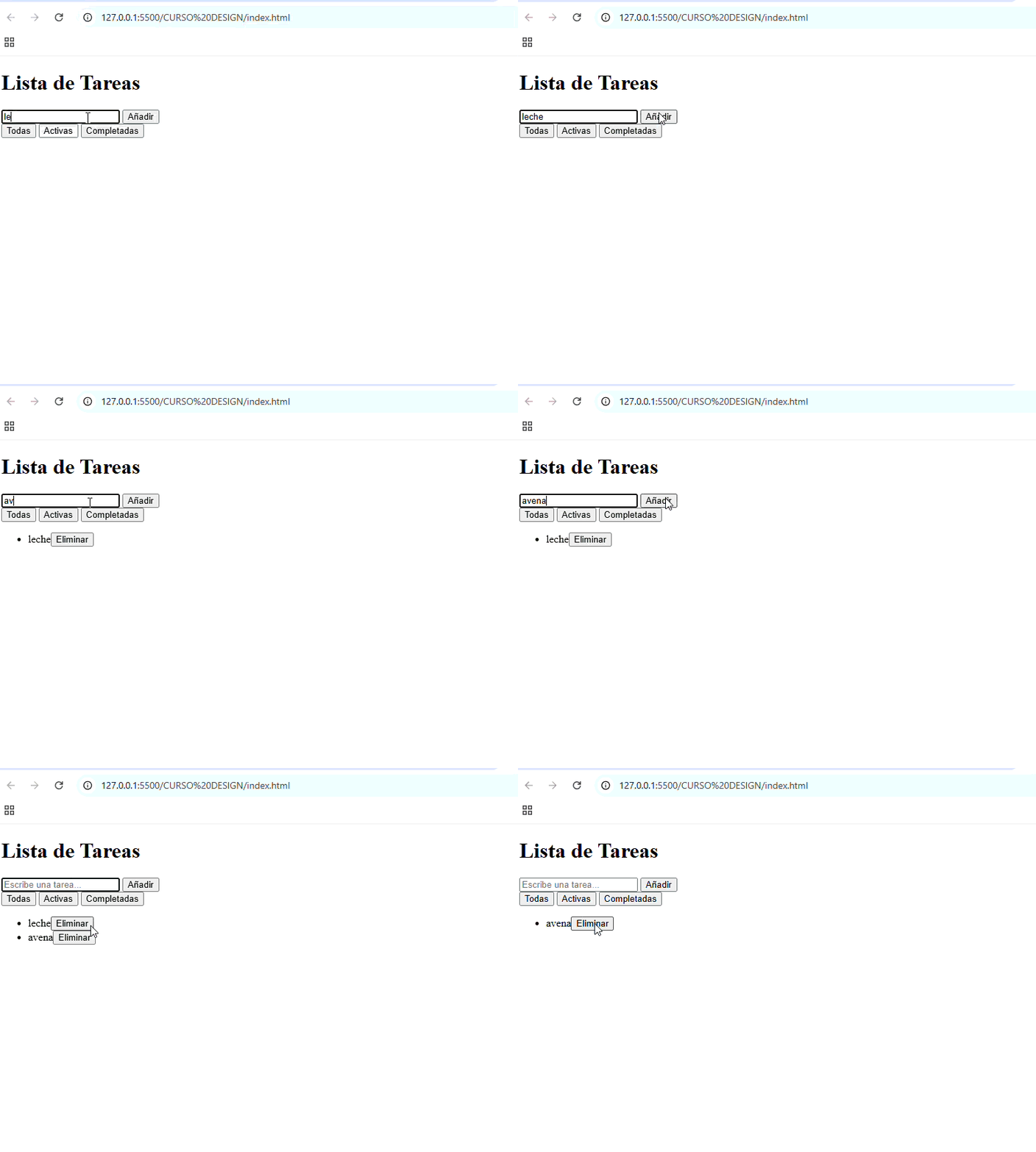
Functional todo list on JSFiddle — add and delete tasks working

Code of the day


// Create task with integrated delete button
añadir.addEventListener("click", function(e) {
  const texto = tarea.value;

  if (texto !== "") {
    const miLista = document.createElement("li");
    miLista.textContent = texto;

    // Build the full dish before serving it
    const eliminarTarea = document.createElement("button");
    eliminarTarea.textContent = "Delete";
    eliminarTarea.addEventListener("click", function() {
      miLista.remove(); // removes the element, not a class
    });

    miLista.appendChild(eliminarTarea); // button → li
    lista.appendChild(miLista);         // li → ul
    tarea.value = "";
  }
});
      

In action

Todo list working — adding and deleting tasks
Vanilla JS todo list — day 35
"CSS for styles. JS for logic. The hover button doesn't need JavaScript — it needs two lines of CSS."
Day 22

FormValidator complete.
OOP validation built from scratch.

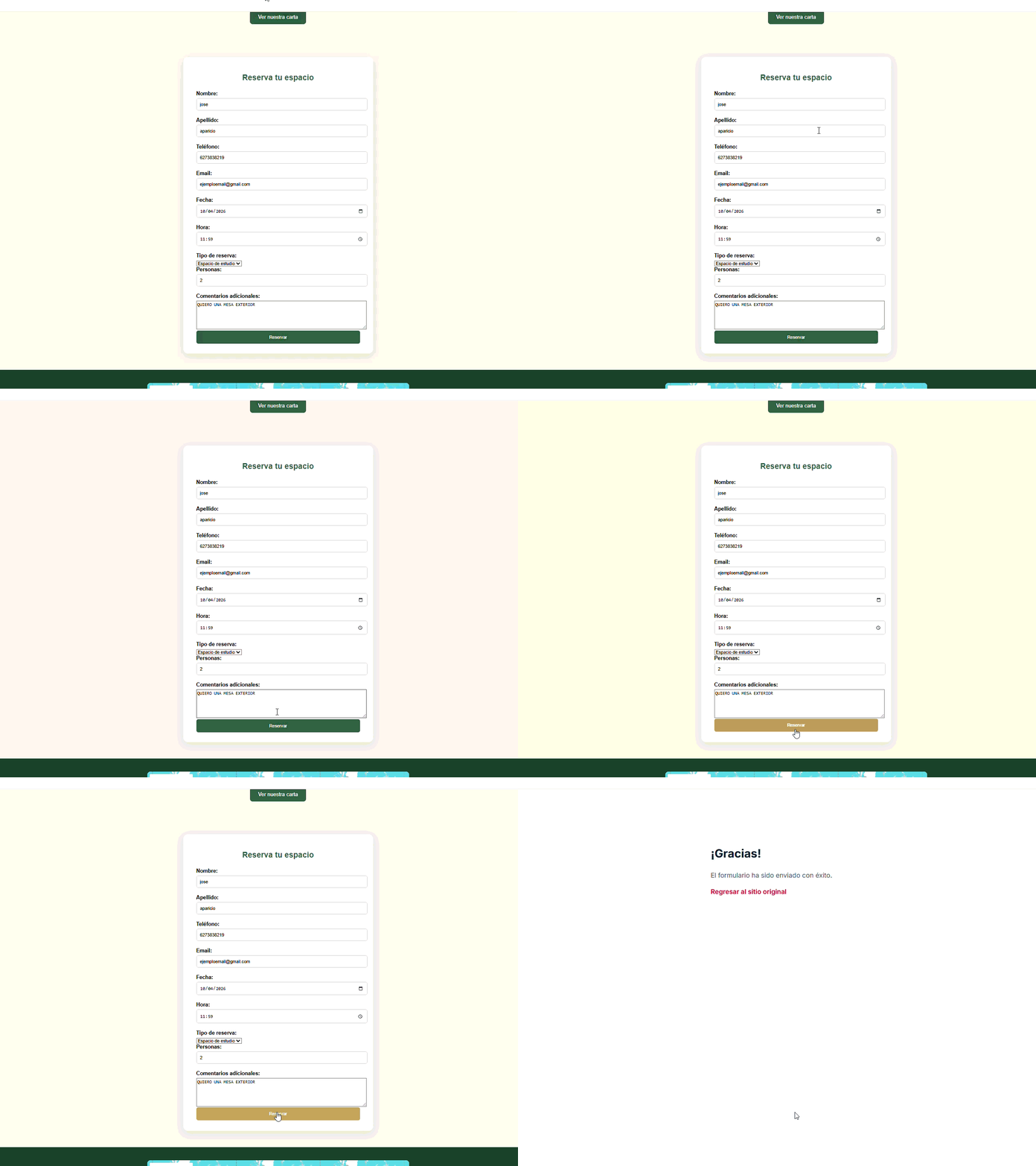
Today I completed the ValidarFormulario class for Campus & Crema. showError, showSuccess, esCorrecto control and dynamic DOM — all written by hand, all understood before moving on.

STAR Summary

S — The Campus & Crema booking form had basic Formspree validation but no visual feedback for the user.

T — Implement a ValidarFormulario class with showError, showSuccess methods and esCorrecto state control.

A — Built each method step by step: first the conditional to avoid duplicate spans, then dynamic span creation with document.createElement, insertion with input.after(), and esCorrecto control on submit with forEach + conditional.

R — Working validated form. Real-time visual feedback. The class is reusable for any form in the project.

Wins of the day

+ showError complete — dynamic span creation in the DOM

+ showSuccess complete — error cleanup and visual state change

+ esCorrecto correctly updated on submit

+ Learned: input.after() and insertAdjacentElement for precise DOM insertion

"Variables never in quotes. The order inside a method matters as much as the logic."

Levels at end of day

JS — OOP
52%
Dynamic DOM
55%
Form validation
70%
FormValidator in action

Debug Log

Bug 1: createElement without the document prefix — JS couldn't find the function

Fix: always document.createElement(), never bare createElement()

Bug 2: Error span was created before checking if one already existed — duplicate spans on every blur

Fix: cleanup conditional always first, before creating anything

Bug 3: Extra }} closed the class early — showSuccess ended up outside

Fix: count opening and closing braces. One class, one closing brace.

Bug 4: esCorrecto never updated to true — form never submitted

Fix: reset to true before forEach, set to false inside if validarCampos returns false

Result: ValidarFormulario works. Real-time visual feedback. Ready for Campus & Crema.

Code of the day


showError(input, message) {
  // Clean first — then create
  if (input.nextElementSibling &&
      input.nextElementSibling.classList.contains("error-message")) {
    input.nextElementSibling.remove();
  }
  const error1 = document.createElement("span");
  error1.classList.add("error-message");
  error1.textContent = message;
  input.classList.add("input-error");
  input.after(error1);
}
      
"nextElementSibling: the table next to yours in the café."
Day 21

FormValidator: OOP Constructor, RegEx Rules,
and the Array.from() pattern in the DOM

Mastered the complete FormValidator constructor architecture through a deep scientific debugging session. Copied line by line on paper, annotating each step in Spanish. Caught 8 different bugs — from conceptual confusion (Array.from) to scope and execution order errors. Discovered that most OOP mistakes come from understanding WHERE and WHEN each thing happens. Ready for validation methods.

STAR Summary

S — Studying HTML form validation with OOP classes. Needed to understand how a FormValidator accesses the DOM, dynamically selects inputs, and defines reusable validation rules with regular expressions. Context: preparation for implementing a functional contact form in Campus & Crema.

T — Complete the FormValidator class constructor to: (1) store a reference to the DOM form, (2) fetch all inputs with [required] attribute as an iterable array, (3) define validation rules (email, password with min 8 chars + number), (4) initialize isValid state, (5) execute init() that launches listeners. Bonus: understand every line without conceptual gaps.

A — Methodology: copied line by line on paper, annotating each code section in Spanish. First tried understanding it mentally without writing — got lost in how exactly Array.from(querySelectorAll()) worked. Then tested step by step in the browser: select → convert to array → iterate. After 5-6 attempts and debugging, I saw it was NOT magical, just literal and sequential. Implemented the config-object pattern for RegEx rules (scalable and reusable). Paper debugging annotations = 3x faster understanding.

R — Fully functional and deeply understood constructor. Can explain every line without doubt. Recognized my recurring mental pattern: "it's easier than it seems, I overcomplicate things too much" — applies perfectly here. Caught and fixed 8 different bugs during the session, many of them SUBTLE (execution order, this binding, wrong selector). Key lesson: OOP isn't complex because of class syntax, it's complex because of SCOPE and ORDER. Ready to move to validation methods (validate, displayError, removeError).

Wins of the Day

+ Mastered querySelectorAll() + Array.from() — it's literal and sequential, not magic

+ Implemented RegEx config-object pattern — scalable, reusable, professional

+ Caught 8 different bugs — including the SUBTLE ones (execution order, this binding, null checks)

+ Recognized mental pattern: overcomplication — paper-first method solves this completely

+ Mastered difference between methods (parens) vs properties (no parens) — crucial in OOP

+ Understood scope and this binding in ES6 classes — regular methods vs arrow functions in callbacks

+ Code in Spanish (properties and methods) feels genuinely mine — total ownership

"It's easier than it seems, I overcomplicate things too much. The secret isn't understanding it mentally first — it's seeing it execute, step by step, without searching for magic where there's only sequential logic."

Skill Levels at Day's End

DOM API (querySelector/All)
80%
OOP Classes (constructor pattern)
76%
RegEx (validation)
68%
Array methods (from, forEach)
84%
Scientific debugging
79%
Scope & this binding
72%
Execution order (constructor)
75%

Debug Log (8 bugs caught)

Bug 1 — Conceptual confusion (Array.from): Didn't understand how Array.from(this.form.querySelectorAll()) accessed the inputs. Assumed there was "magic" implicit binding or automatic access to global scope.

Fix: Debugged step by step on paper: (1) this.form = reference to the DOM Form object (stored in constructor), (2) .querySelectorAll() = returns NodeList (collection, NOT array), (3) Array.from() = converts NodeList to iterable array. No magic. Sequential logic.

Bug 2 — Object literal syntax (commas): Forgot commas between properties in the rules object. Code wouldn't compile. Error: SyntaxError: Unexpected identifier

Fix: Object literal = property, comma, next property. { email: /.../, password: /.../ }. In JavaScript, methods/properties inside objects use key-value syntax, not separate declarations.

Bug 3 — Template literal in comment: Tried interpolation ${minLength} inside a RegEx comment. Inner quotes broke the syntax. Silent error — interpolation didn't work.

Fix: Separated comment outside the RegEx: // Min 8 letters and 1 number. Inline comments can break strings. Clean pattern: executable RegEx, separate comment on next line.

Bug 4 — Missing parentheses: Wrote querySelectorAll('input[required]') without final parentheses. Error: didn't execute the function, just referenced it (returned undefined).

Fix: querySelectorAll(...) is a method — ALWAYS needs () at the end. Without parens = function without execution. Pattern: methods = parens, properties = no parens.

Bug 5 — this.init without parentheses (initialization): In the constructor wrote this.init instead of this.init(). Code didn't fail but init() never executed — just stored the function reference.

Fix: To CALL a method: parentheses required. this.init(). Without parens = reference without execution. Critical in constructors where you need immediate execution — listeners weren't attaching.

Bug 6 — CSS selector ID vs class: Passed #contact-form as selector but HTML had class="contact-form". Constructor didn't find the form. this.form became null — next line failed.

Fix: Check HTML before writing selector. #id-name vs .class-name is different. Pattern: review HTML structure FIRST, then write selectors. Error occurred silently — null doesn't error until using methods on this.form.

Bug 7 — Incorrect this binding (scope): Copied code from a tutorial using arrow functions vs regular methods. Forgot that in ES6 classes, methods use this automatically without needing bind(). But wrote a callback with regular function() {} — lost context.

Fix: In ES6 classes, regular methods preserve this automatically. BUT: if you pass a callback to an event listener, use arrow function () => {} to maintain scope. Pattern: class method = regular, callback = arrow.

Bug 8 — Execution order (constructor vs init): Called this.init() BEFORE saving this.form and this.inputs. The init() tried using properties that didn't exist yet. Error: "Cannot read property 'addEventListener' of undefined"

Fix: Order matters in constructors. (1) Assign properties, (2) call methods that depend on those properties. The constructor is SEQUENTIAL — each line depends on the previous one. Visualizing on paper helps enormously to see dependency order.

Final result: Completely functional constructor. All inputs with [required] correctly detected. Validation rules ready. isValid state initialized. init() executes in correct order. this.form is not null. Listeners attached correctly. Ready for next phase: validate(), displayError(), removeError() methods.

Code of the Day: FormValidator Constructor


class FormValidator {
  constructor(formSelector) {
    // STORE THE FORM as reference to DOM object
    this.form = document.querySelector(formSelector);

    // FETCH ALL INPUTS REQUIRING VALIDATION
    // querySelectorAll() returns NodeList
    // Array.from() converts NodeList to iterable Array
    this.inputs = Array.from(
      this.form.querySelectorAll('input[required]')
    );

    // DEFINE VALIDATION RULES (Regex)
    // Config-object pattern — scalable and reusable
    this.rules = {
      email: /^[\w\S]+@[\w\S]+\.[\w\S]+$/,
      password: /^(?=.*[A-Za-z])(?=.*\d)[A-Za-z\d]{8,}$/
      // Email: basic but functional
      // Password: min 8 chars + at least 1 letter + at least 1 number
    };

    // STATE: Is the form valid?
    // Will be updated in validation methods
    this.isValid = false;

    // EXECUTE INITIALIZATION
    // Without parens = reference without execution
    // With parens = execute immediately
    this.init();
  }

  init() {
    // Coming soon: attachEventListeners()
    this.attachEventListeners();
  }
}

// USAGE:
const contactForm = new FormValidator('#contact-form');
// ✓ Instance created
// ✓ Inputs detected
// ✓ Listeners attached
      
"The constructor does NOT validate yet — it only sets the stage. Stores references, defines rules, initializes state. Validation happens in separate methods (validate, displayError). Separation of concerns = maintainable code."

FormValidator Project Roadmap

✓ Milestone 1 — Day 32 (TODAY): Constructor + Deep Debugging
8 bugs caught, architecture solid, ready for methods

○ Milestone 2 — Days 33-34: Validation Methods
validate(), displayError(), removeError() — full validation cycle

○ Milestone 3 — Day 35: Event Listeners + Integration
attachEventListeners(), form submission, error display

○ Milestone 4 — Day 36: Campus & Crema Deploy
HTML integration, CSS styling, Vercel deployment, testing

Day 20

Carousel from scratch.
Paper, logic, VS Code, Campus Crema.

Carousel JavaScript from scratch in four sessions: design on paper, reasoned logic, clean code, and systematic debugging. Implemented in CodePen, debugged thoroughly, and integrated into Campus & Crema. 100% functional — slides, buttons, indicators, counter.

🎠 Carousel demo in action

Slide 1 Visual content Slide 2 Clean navigation Slide 3 Smooth transitions Slide 4 OOP pattern 1 / 4

Live at: campus-crema.vercel.app

STAR Summary

S — Build a Carousel JavaScript from scratch, applying OOP. Four planned sessions: (1) Design on paper, (2) Logic without code, (3) Implementation in CodePen, (4) Integration into Campus & Crema. Today: complete sessions 3 and 4.

T — Implement Carousel class with methods: constructor(), updateUI(), next(), previous(), attachButtonListeners(). Solve conflicts between DOM references and internal state. Integrate HTML/CSS/JS. Test in production.

A — Methodology: paper → reasoning → clean code → debugging. Common junior errors found and resolved: confusing numeric index with DOM element, badly nested closing braces, function references with parentheses, CSS selector conflicts, signs in translateX. Every bug documented with its fix. Result: 60-line carousel, functional and without compromises.

R — 100% operational carousel: prev/next navigation, indicator dots with active state, numeric counter, smooth CSS transitions. Code in CodePen and in production on Campus & Crema. Learning: the pattern matters more than the syntax.

Wins of the day

+ Complete OOP class — constructor, 6 methods, single instance. 60 lines. No bloat.

+ classList.toggle("active", condition) — understood and applied correctly

+ bind(this) in listeners — no longer loading functions with parentheses mindlessly

+ Clear separation: numeric index vs. DOM reference. Consistent naming in Spanish throughout.

+ From CodePen to production in one day — tested, debugged, deployed on Campus & Crema

+ Exhaustive documentation — every bug, every discard, every decision recorded

"It's not a carousel. It's a pattern: state → render. Everything else is detail."

Skill levels at end of day

OOP / JS Classes
55%
DOM Manipulation
60%
Syntax Debugging
65%
CSS Layout
58%

Debug Log

Naming conflict: this.numero as both DOM element and source of truth simultaneously

Fix: separate responsibilities — this.numero (element), this.currentIndex (state)

Nested braces: methods with closing braces in wrong places, creating methods nested inside methods

Fix: write } immediately upon opening — never leave braces open

Immediate execution: this.previous() with parentheses in addEventListener — executed on load, not on click

Fix: this.previous.bind(this) — pass reference, not invocation

Colliding selector: .my-slide on container and on slides — CSS conflict

Fix: rename to .carousel (container) and .slide (items)

Reverse direction: translateX without negative sign — carousel moved backwards

Fix: -(this.currentIndex * 100)% — the negative inverts direction

Discarded — intentionally simple v0: isMoving (block during animation), goToSlide(position) (click dots), DOMContentLoaded

Decision: first make it work clean, then make it robust. Pending improvements for v1.1

Final result: functional carousel, tested, integrated in production, code documented

Code of the day

The carousel's heart: when the index changes, updateUI() recalculates position, updates indicators, and displays the number. Everything flows from there.


class Carousel {
  constructor(selector) {
    this.container = document.querySelector(selector);
    this.track = this.container.querySelector(".track");
    this.slides = this.container.querySelectorAll(".slide");
    this.prevBtn = this.container.querySelector(".prev");
    this.nextBtn = this.container.querySelector(".next");
    this.counter = this.container.querySelector(".counter");
    
    this.currentIndex = 0;
    this.attachButtonListeners();
  }

  // The method that connects state to UI
  updateUI() {
    const offset = -(this.currentIndex * 100);
    this.track.style.transform = `translateX(${offset}%)`;

    document.querySelectorAll(".indicator")
      .forEach((dot, position) => {
        dot.classList.toggle(
          "active",
          position === this.currentIndex
        );
      });

    this.counter.innerText = this.currentIndex + 1;
  }

  next() {
    this.currentIndex = (this.currentIndex + 1) % this.slides.length;
    this.updateUI();
  }

  previous() {
    this.currentIndex = (this.currentIndex - 1 + this.slides.length) 
      % this.slides.length;
    this.updateUI();
  }

  attachButtonListeners() {
    this.prevBtn.addEventListener("click", this.previous.bind(this));
    this.nextBtn.addEventListener("click", this.next.bind(this));
  }
}

// Single instance
const carousel = new Carousel(".carousel-container");
      
"Developers don't memorize syntax. They memorize patterns. Syntax they Google. What matters is understanding why."
Day 19

From lunch menus to email masking.
The day indexOf and slice worked together.

Two exercises, six documented bugs, and a recurring lesson: functions must be predictable. The right method isn't the most complex one — it's the one that does exactly what you need.

STAR Summary

S — Day 30 of the challenge. Basic-intermediate JS stack. Main project EquiShift under construction.

T — Master array methods (push, pop, shift, unshift) and build an email masker from scratch using slice, indexOf, and repeat.

A — First, I built a lunch menu manager with six functions. Then I tackled the email masker: identified the pattern (first letter + asterisks + last letter + domain), split the string using indexOf and slice, calculated asterisks with repeat, and assembled the result in the return statement.

R — maskEmail("apple.pie@example.com") returns "a*******e@example.com". All test cases passed.

Daily Wins

+ Defensive validation using arr.length === 0 applied across all menu functions

+ Understood that indexOf locates and slice cuts — two separate tools that work in tandem

+ Correctly implemented arrow function syntax without mixing declarations

+ Clear distinction between includes (is it there?) and indexOf (where is it?)

"indexOf is the knife marking the spot. slice is the one that makes the cut."

End of Day Stats

Array methods
65%
String methods
50%
Arrow functions
55%
Defensive logic
70%

Debug Log

Bug 1: item.push[Lunch item] — push called on the item instead of the array

Fix: the method belongs to the container, not the element. arr.push(item)

Bug 2: return arr.length — returns a number when the array is expected

Fix: if the function promises a list, return the list. return arr

Bug 3: getRandomLunch returns an array when empty and a string otherwise — inconsistent types

Fix: a function should always return the same data type across all paths

Bug 4: const maskEmail(email => ...) — mixed syntax between function declaration and arrow function

Fix: const maskEmail = (email) => { ... }

Bug 5: username[0] + + masked — double operator results in NaN

Fix: only one + between operands. NaN occurs when JS tries to add an empty gap

Final result: functional email masker for all required cases

Code of the Day


const maskEmail = (email) => {
  const atIndex  = email.indexOf('@')
  const username = email.slice(0, atIndex)
  const domain   = email.slice(atIndex)
  const masked   = "*".repeat(username.length - 2)
  return username[0] + masked + username[username.length - 1] + domain
}

// "apple.pie@example.com" → "a*******e@example.com"
// "freecodecamp@example.com" → "f**********p@example.com"
// "info@test.dev" → "i**o@test.dev"
      
"slice without a second argument cuts until the end. You don't need more."
Day 18

From "undefined" to Total Manipulation. Understanding the Array is the Box and the Object is the Card.

Today wasn't a visual challenge; it was a mental one. I went from not knowing why console.log returned undefined to chaining .filter() and .reduce() to calculate complex inventories. Arrow function syntax was my biggest enemy—and eventually, my best ally.

STAR Summary

S — I had two main datasets: a product inventory and a list of developers. The goal was to extract specific insights: filter by categories, calculate average ages, and apply mass discounts.

T — I needed to master array methods (map, filter, find, reduce, sort) to move away from manual loops and write cleaner, more professional code.

A — I started with classic mistakes: trying to access properties on the array itself instead of the objects inside. Then, I fought the reduce syntax. I corrected it step-by-step: added parentheses to parameters, initialized the accumulator at 0, and used the Spread Operator to keep data immutable.

R — Successfully filtered "tech" products, calculated total inventory value by multiplying price x stock, and sorted developers by experience. ✅ The logic of "entering" an object via a callback is finally clicking.

Victories of the Day

+ Correct .map() with ...spread: Learned how to update a single property (10% discount) while keeping the rest of the object intact.

+ find vs filter: Now I clearly understand that one gives me the first match (object) and the other a filtered list (array).

+ Averages with reduce: Even though the syntax is tough, I now know I need an accumulator and an initial value of 0 to avoid errors.

"The error wasn't in the code,
it was in my mental model: I was trying to read
the name of the list, not the name of the person in it."

Skill Levels at Closing

Array Methods
75%
Arrow Functions
85%
Object Logic
70%

Learning Analysis

Today I discovered that functional programming in JS is like a strainer. filter chooses what passes, map transforms what's inside, and reduce compresses it all into one result.

The hardest part was stop "guessing" and start "reading" console errors. Undefined doesn't scare me anymore; now I know it means I'm looking in the wrong place.

Debug Log

Access Error: products.name returned undefined.

Fix: Used products.forEach(p => p.name). You can't ask the list for a name, only the items inside.

Reduce Syntax: reduce(acc, val => ...) failed due to missing parentheses.

Fix: reduce((acc, val) => acc + val.price, 0). Always use parentheses for multiple arguments.

Self-reference: const dev = dev.find(...)

Fix: Reference the original array developers.find(...). You can't use a variable before it's defined.

Code of the Day


/* Total Inventory Value & Discount */
const totalValue = products.reduce((sum, p) =>
sum + (p.price * p.stock), 0
);

const withDiscount = products.map(p => ({
...p,
price: p.price * 0.90
}));

/* Complex Filtering */
const techLowStock = products.filter(p =>
p.category === "tech" && p.stock < 10
);

Mental model

  • Array vs Object: The array is the shelf; the object is the book. You can't read the title of the shelf.
  • Callbacks: Functions inside methods are "instruction manuals" for each item.
  • Immutability: Using ...spread allows evolving data without destroying the original source.

Next target

  • Master .sort() with custom comparison logic.
  • Connect this data logic to the DOM (display products on a real web page).
Day 17

From a static page to a
Tactical Battle Engine.

Today the project took a definitive leap forward. I implemented an energy management system (Mana), status effects like burns and shields, and a real turn-based flow with AI.

🎥 Demo: Mana system, card selection, and visual damage feedback.

STAR Summary

S — I had a functional but "flat" card interface where only the highest attack mattered.

T — Implement RPG mechanics: mana cost per card, status effects (burn, freeze), and a UI that reacts to damage.

A — Refactored the deck object to include costs and types, created an energy validation system, and designed dynamic progress bars with CSS gradients and transitions.

R — A game where the player must manage resources. It's no longer about who clicks the most, but who best manages their mana and status effects.

Wins of the Day

+ Mana Management — Cost/benefit system fully operational.

+ Visual Feedback — HP/Mana bars with dynamic gradients.

+ Turn Logic — AI with "thinking time" (setTimeout).

"Code is like a deck of cards: if the foundation isn't solid, the castle collapses when you add the first complex mechanic."

Debug Log

Bug: Event Bubbling when clicking action buttons on the card.

Fix: Used stopPropagation() to isolate button logic from the card container.

Bug: Mana was dropping into negative numbers.

Fix: Added an "Early Return" validation and visual error feedback (shake).

Result: Stable tactical engine with UI synchronization.

Code of the Day (Mana System)


function intentarAtacar(carta) {
  if (manaPlayer >= carta.coste) {
    manaPlayer -= carta.coste;
    ejecutarDuelo(carta);
    actualizarBarras();
  } else {
    log.innerText = "Insufficient energy!";
    this.classList.add('shake');
  }
}
      
"Today I moved from programming simple actions to programming interconnected systems."
Day 16

Curly brace errors are gone.
Now the errors are actually mine.

Today I started with the connection, as always. The hotel rule — if you close at night, you can’t open in the morning — and how to tell that to the code without breaking it. Along the way I realized that the errors I have left are no longer syntax. They are logic. That’s exactly where the difficulty should be.

STAR Summary

S — Before continuing with EquiShift I needed to know if what I learned this week actually stuck or if it was just surface-level. EquiShift has no automatic tests. freeCodeCamp does. I needed that.

T — truncateString, confirmEnding and the functions quiz. And in the background, the question I haven’t been able to close for days: how do I tell the system that night → morning is illegal. Without breaking the code. Without putting logic in the wrong place.

A — In truncateString it took six attempts. I read it line by line every time. I understood what it had to do. I didn’t understand why it didn’t work. The code was inside quotes — JavaScript returned it as text. When I saw it, it didn’t feel like syntax. It felt like a concept I hadn’t fully closed yet.

The moment of the day was return. I’ve known for weeks that it stops a function. Today I saw it stop for real — code below it didn’t exist, dead, invisible to JavaScript. There are things you know and things you understand. Today I moved from knowing to understanding.

With esTurnoLegal the problem wasn’t code. It was that I wrote the rule outside the function. The function should already know what is illegal. I just have to ask it.

R — Two exercises completed ✅ Quiz passed ✅ esTurnoLegal still no code — but now I know where the logic belongs. And I realized something harder to measure: I’m at a different level than a month ago. The errors are no longer braces. They’re actually mine.

Wins of the day

+ slice(0, num) + "..." — cutting a string and appending text. Last week this was a mystery. Today it’s obvious. That’s the best part of the process.

+ slice(-n) with a negative number — starts from the end. I found it by trying. Didn’t look it up. It appeared.

+ Parameter vs argument — parameter is the shift template. argument is Salvador, Tuesday 14. One is the mold. The other is the data. That closed it.

+ return stops. No exceptions. Everything below doesn’t exist. I knew it. Today I understood it.

+ Business rules live inside the function. Outside only asks — yes or no. Separation of responsibility without theory.

"Curly brace errors are gone. Now the errors are actually mine."

Levels at close

What’s behind esTurnoLegal

In the hotel the rule exists. No one can open in the morning if they closed at night.

In practice it depends on someone remembering.

I don’t want to build an improvement. I want to build a guarantee.

The journal proves this is happening. esTurnoLegal proves that eight years in hospitality contain code.

"They say without a CS degree you won’t make it. This journal has spent 28 days proving otherwise."

Debug Log — truncateString

Attempt 1: Code inside backticks without ${}. I asked it to execute and it gave me text.

Backticks without interpolation = text.

Code of the day


// truncateString — 6 attempts, 1 solution
function truncateString(string, num) {
  if (string.length > num) {
    return string.slice(0, num) + "...";
  } else {
    return string;
  }
}

// confirmEnding
function confirmEnding(string, target) {
  return string.slice(-target.length) === target;
}

// esTurnoLegal — hotel rule in code
function esTurnoLegal(turnoAyer, turnoHoy) {
  // logic goes here
}
      
"slice(-n) isn’t a trick. It was always there. I just didn’t know."
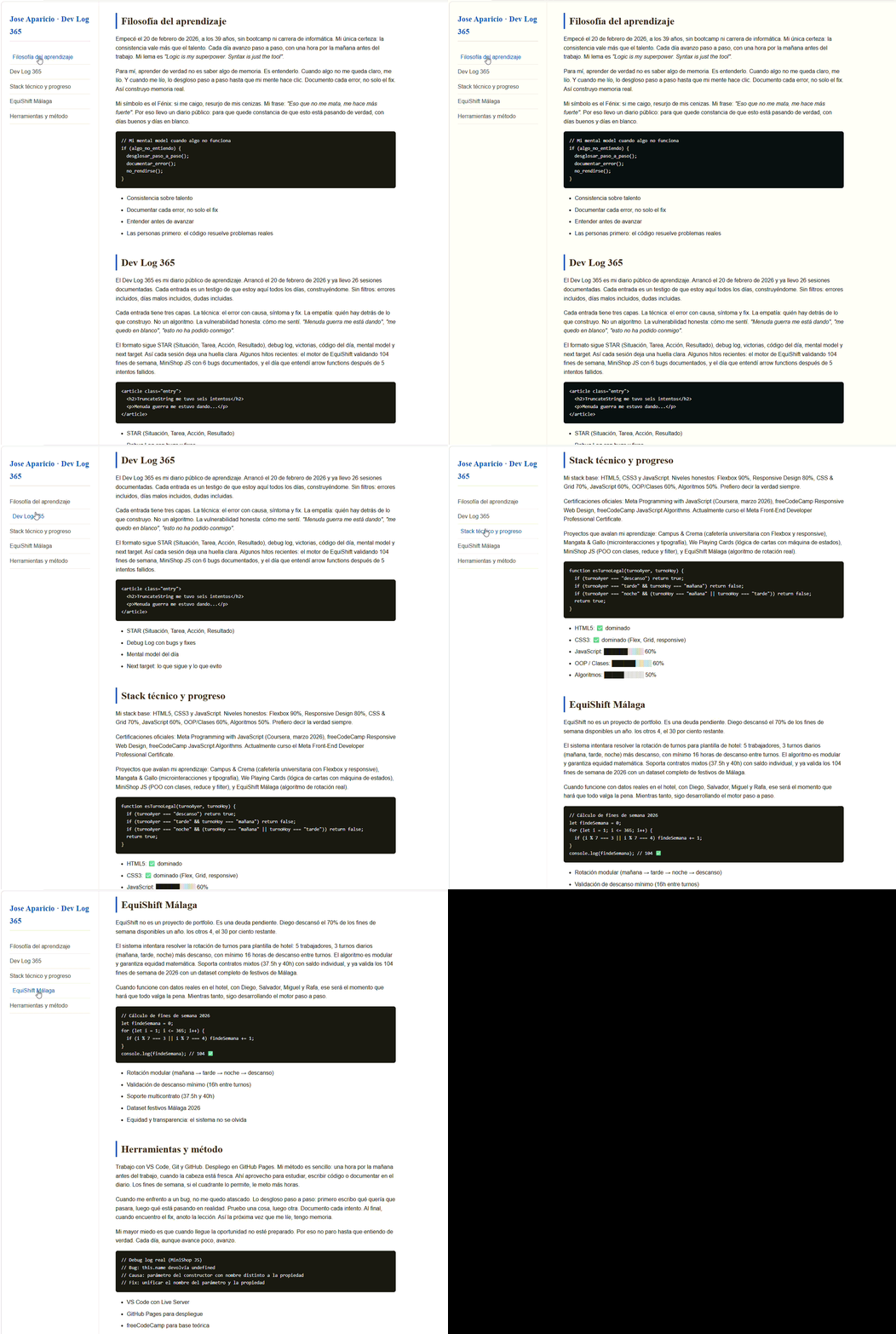
Technical Documentation Page — navbar fija, scroll suave, responsive
Ver en vivo
Day 15

The bracket errors are gone.
Now the errors are actually mine.

Today I started with the connection, like always. The hotel rule — if you close the night shift, you can't open the morning — and how to tell that to the code without breaking it. Along the way I found out that the errors I have left are no longer about syntax. They're about logic. That's exactly where the difficulty should be.

STAR Summary

S — Before continuing with EquiShift I needed to know if what I learned this week actually stuck or just stayed on the surface. With EquiShift there are no automatic tests that tell you pass or fail. With freeCodeCamp there are. I needed that.

T — truncateString, confirmEnding and the functions quiz. And in the background, the question I've been unable to close for days: how do I tell the system that night → morning is illegal. Without breaking the code. Without the logic living in the wrong place.

A — truncateString took me six attempts. I read it line by line every time. I understood what I had to do. I didn't understand why it wasn't working. The code was inside quotes — JavaScript gave it back to me as text. When I saw it, it didn't feel like a syntax error. It felt like a concept I hadn't finished closing.

The moment of the day was return. I've known for weeks that it stops the function. Today I watched it actually stop — code below that didn't exist, dead, invisible to JavaScript. There are things you know and things you understand. Today I moved from knowing to understanding.

With isShiftLegal the problem wasn't about code. It was that I wrote the rule outside the function. The function should already know what's illegal. I just have to ask it.

R — Two exercises completed ✅ Quiz passed ✅ isShiftLegal still without code — but I now know where the logic has to live. And today I noticed something harder to measure: I'm at a different level than I was a month ago. The errors are no longer about brackets. They're actually mine now.

Wins of the day

+ slice(0, num) + "..." — cutting a string and attaching text to the end. Last week this was a mystery. Today it's obvious. That's the best part of this process — when something you didn't understand suddenly just is.

+ slice(-n) with a negative number — starts from the end. I found it on my own just trying to make it work. I stopped for a moment and looked at it. I didn't look for it. It arrived.

+ Parameter vs argument — the parameter is the afternoon shift in the hotel protocol. The argument is Salvador, Tuesday the 14th. One is the mould. The other is what goes in. When I saw it that way, it closed.

+ return stops. No exceptions. Everything below doesn't exist for JavaScript. I'd known that for weeks. Today I understood it. Not the same thing.

+ Business logic lives inside the function. The outside just asks — yes or no. It doesn't need to know why. That's separating responsibilities without having to look up the definition anywhere.

"The bracket errors are gone. Now the errors are actually mine."

Levels at close

Functions
72%
Strings
65%
Algorithms
62%
Architecture
55% — just starting

What's behind isShiftLegal

The rule exists at the hotel. Nobody can open the morning shift if they closed the night. It's in the contract. It's in common sense.

In practice it depends on whoever makes the rota that month remembering to check the previous day's shift. Sometimes they remember. Sometimes they don't.

I don't want to build an improvement. I want to build a guarantee. Something that proves I can finish something genuinely complex — not just start it.

The diary is the witness that this is actually happening. isShiftLegal is the proof that eight years in hospitality have code inside them. You just have to know how to find it.

"Without a computer science degree they say you won't make it. The diary has been proving otherwise for 28 days."

Debug Log — truncateString

Attempt 1: return `string... + num` — everything inside backticks without ${}. I asked it to execute something and it gave me back the recipe written on paper.

Backticks without ${} are just text with a grave accent. Nothing more.

Attempt 2: return " slice(string... + num)" — swapped backticks for quotes. Same result. Code inside quotes is still a string, not an instruction.

Quotes are for data. Not for instructions.

Attempt 3: string.slice(num) — cuts from num to the end. The exact opposite of what I needed.

slice(0, num) — from the start to num. The order of the arguments defines the direction.

string.slice(0, num) + "..."

Debug Log — confirmEnding

Error 1: target.length.slice() — numbers don't have slice(). The number goes inside slice(), it doesn't call it.

string1.slice(-target.length) — the number is the argument, not the object.

Error 2: if(string1.slice(-2) = string2) — I wasn't comparing. I was assigning.

= is an order. === is a question. Inside an if I always ask.

string1.slice(-string2.length) === string2

Debug Log — isShiftLegal

Architecture error: I wrote the night→morning rule outside the function. Duplicated the logic in the wrong place. And return was giving back a string instead of a boolean. Three errors in three lines.

The rule lives inside isShiftLegal. The outside just asks — is this legal? — and acts on it. It doesn't need to know why.

return falsereturn "false". A validation function returns booleans. Always.

Architecture clear. Code pending. Today it's enough to know where the logic has to live.

Code of the day


// truncateString — 6 attempts, 1 solution
function truncateString(string, num) {
  if (string.length > num) {
    return string.slice(0, num) + "...";
  } else {
    return string;
  }
}

// confirmEnding — negative slice, dynamic
// found it on my own. didn't look for it.
function confirmEnding(string, target) {
  if (string.slice(-target.length) === target) {
    return true;
  } else {
    return false;
  }
}

// isShiftLegal — the hotel rule in code
// receives shiftYesterday and shiftToday
// returns false if the combination is illegal
// returns true if it's valid
// night → morning: always false
// TODO — next session. this front doesn't open
// until it's closed.
function isShiftLegal(shiftYesterday, shiftToday) {
  // the logic lives in here
  // not outside
}
      
"slice(-n) is not a weird trick. It's a tool that was already there and I didn't know it existed. Now I do."

Mental model of the day

  • slice(0, n) → the first n characters
  • slice(-n) → the last n from the end — dynamic, no extra calculation needed
  • return false → boolean · return "false" → string · never the same thing
  • Business logic lives inside the function — the outside only asks
  • Parameter = mould · Argument = what goes in · Salvador Tuesday 14th is not the afternoon shift, he's the one covering it
  • Knowing and understanding are not the same — today I moved from one to the other with return
Problem of the day

Encoding a real labour rule without the logic living in the wrong place. If you close the night shift, you can't open the morning. At the hotel it depends on someone remembering. In EquiShift it depends on no one.

How I modelled it

isShiftLegal(shiftYesterday, shiftToday) — two strings go in, one boolean comes out. The combination "night" + "morning" returns false. The engine asks before assigning. It doesn't assume. It doesn't remember. It has no favourites.

Connection with the 8 years

In hospitality I learned to think about the end user before thinking about the process. isShiftLegal is not a validation function. It's the first time the hotel worker has a system that can't forget about them.

Next target

  • Write isShiftLegal complete — booleans only, all illegal combinations from the contract documented first
  • Integrate it into the 365-day loop before assigning any shift
  • No new fronts until this is closed — I open too many and I know it
  • Next exercises: repeat(), includes(), indexOf() — when isShiftLegal works
Day 14

Five freeCodeCamp exercises in one session.
One recurring error pattern — and now I can name it.

Intense session. Functions are still the friction point — too many names calling other names, and if you don’t clearly understand what each thing represents, you get lost before you even start. Five exercises completed. Same mistake, different shapes.

STAR Summary

S — Intensive practice session on freeCodeCamp. After several days building my own projects — MiniShop, EquiShift, Campus & Crema — I needed to return to fundamentals and reinforce syntax through guided exercises. Automatic tests: pass or fail. No interpretation.

T — Complete five progressively harder exercises without looking at solutions. Card Counting, Leap Year, Golf Score, Book Organizer, and Quiz Game. In that order.

A — All built from scratch, with errors identified and fixed in real time. The key moment was Book Organizer — first deliberate use of sort() with a custom callback. Quiz Game introduced real complexity: multiple functions interacting through Math.random().

R — Five exercises completed and validated ✅
Pattern identified: confusing the value with the structure that contains it (element vs array / property vs object).
Entry pending expansion with more exercises.

Rule I’m taking with me: before using . or comparing anything, I need to know exactly whether I’m working with the value or its container.

Wins of the day

+ Proposed includes() on my own in Card Counting — noticed || didn’t scale and looked for a cleaner solution.

+ Understood sort() with a callback: you define the comparison rule, the engine handles the ordering. -1, 1, 0 are no longer arbitrary numbers.

+ Real use of Math.floor(Math.random() * array.length) — safe access to random indices.

+ Order matters in condition chains — in Leap Year: 400 → 100 → 4. Sequence defines correctness.

The problem is no longer writing code. It’s keeping track of context when multiple functions interact with each other.

Parameter names still feel like noise: arr, val, x. I understand they’re arbitrary, but they’re not intuitive yet.

Still: five exercises validated. The system is starting to settle.

"I don’t fail as much on basic syntax anymore.
I fail on the mental model.
And that’s a much more interesting problem."

Levels at close

Conditionals
75%
Array methods
78%
Objects
65%
Callbacks
50%

Error pattern of the day — 5 exercises

Card Counting: card <= 0 instead of count <= 0 — confused input with accumulated state.

The parameter comes in. The accumulator evolves. Not interchangeable.

Leap Year: %{year} instead of ${year} — template literal syntax error.

Template literals use ${}. Always.

Golf Score: strokes >= 2 instead of strokes >= par + 2 — logic disconnected from input.

Conditions must depend on parameters, not hardcoded numbers.

Book Organizer: function filteredBooks.filter() — mixed declaration with execution.

filter() returns data. It doesn’t define functions.

Quiz Game: computerChoice.answer — assumed structure where there was only a value.

Compare value to value: computerChoice === question.answer.

Five exercises completed and validated by freeCodeCamp ✅

Most relevant code of the day


// sort() with custom callback — Book Organizer
function sortByYear(book1, book2) {
  if (book1.releaseYear < book2.releaseYear) return -1;
  if (book1.releaseYear > book2.releaseYear) return 1;
  return 0;
}

// Math.random() for random element — Quiz Game
function getRandomQuestion(arr) {
  const randomIndex = Math.floor(Math.random() * arr.length);
  return arr[randomIndex];
}

// includes() for multiple values — Card Counting
if ([10, "J", "Q", "K", "A"].includes(card)) {
  count -= 1;
}
      
"Fluency doesn’t come from understanding more.
It comes from repeating until you don’t have to think."
Day 13

Hamburger menu working
and solid progress in JavaScript

A day focused on connecting JavaScript with the real structure of my website Campus & Crema. The hamburger menu is now working correctly and I understood why it didn’t before. I also reinforced key concepts in functions, conditionals, and objects in JS using freeCodeCamp exercises.

STAR Summary

S — I was working on JavaScript exercises and improving the mobile version of Campus & Crema.

T — Get the hamburger menu working and strengthen my logic in functions, conditionals, and objects using freeCodeCamp exercises.

A — I reviewed the header structure, moved the button outside the nav, adjusted media queries, and added a script with classList.toggle(). I also reviewed functions, returns, parameters, and objects in JS.

R — The menu now works perfectly on mobile, and I feel my JS logic is much clearer and stronger.

Wins of the Day

+I understood why the hamburger menu of Campus & Crema wasn’t working: the button was inside the nav.

+I learned how to use classList.toggle() for simple interactions.

+I strengthened my understanding of functions, conditionals, and objects in JS with freeCodeCamp.

"If something doesn’t work, check the structure before the code."

End-of-Day Levels

JavaScript
45%
Responsive Design
60%

Debug Log

Bug 1: The hamburger button disappeared on mobile.

Fix: It was inside the nav, which was hidden by media queries.

Bug 2: The JS couldn’t find the button for the click event.

Fix: Moved the button outside the nav and correctly targeted it with getElementById.

Final result: fully functional hamburger menu in Campus & Crema.

Code of the Day


// Hamburger menu script (Campus & Crema)
const btn = document.getElementById("hamburgerBtn");
const nav = document.querySelector(".nav");

btn.addEventListener("click", () => {
  nav.classList.toggle("active");
});
      
"Interaction is not magic: it's structure + style + logic."
Day 12

EquiShift: the engine starts.
365 days, modular arithmetic, and 104 weekends validated.

Today, EquiShift stopped being a static database and became a thinking engine. A 365-day loop with modular arithmetic automatically detects weekends — and counts them accurately. The backbone of the algorithm now exists.

STAR Summary

S — EquiShift already had a database of workers and Málaga 2026 holidays. It knew who works and under which contract. But it knew nothing about time — no calendar, no engine, no awareness of weekends or rest cycles.

T — Build the backbone of the engine: a loop that iterates through all 365 days and automatically detects weekends. Without that, fair rotation is impossible.

A — I added turnosNoche: 0 to the rotating workers — a counter to ensure night shifts are distributed fairly. Rafa doesn’t need it: he only works nights and never covers others. Then I built a 365-day for loop using modular arithmetic. January 1st, 2026 is a Thursday, and using i % 7 I can determine the day of the week at any point in the year. Saturday = remainder 3. Sunday = remainder 4. The pattern repeats every 7 days.

R — weekendDays → 104 ✅
52 Saturdays + 52 Sundays — the engine is correct.
The backbone of the algorithm is built.

Wins of the day

+ turnosNoche: 0 added to the data model — fairness in night shifts now has a measurable counter.

+ 365-day for loop built from scratch — the engine backbone exists.

+ Modular arithmetic applied to a real problem — % 7 determines the weekday of any date without relying on external libraries.

+ 104 weekend days validated — the engine doesn't lie.

"I’m not trying to build an Excel sheet.
I’m trying to encode a system where scheduling becomes,
for the first time, truly fair."

End-of-day levels

Algorithms
60%
Loops / for
65%
Modular arithmetic
55%
Data modeling
70%

Debug Log

Bug 1 — Unclosed workers array: missing ]; at the end. Syntax error that broke the entire script.

Fix: add ];. Arrays, like classes, are closed once.

Bug 2 — Missing comma in object: calendario: [] without a comma before turnosNoche: 0 — JavaScript can't separate properties.

Fix: calendario: [], — every property except the last needs a comma.

Bug 3 — Wrong weekend condition: used i === 3 && i === 4 — impossible condition, always false.

Fix: compare the remainder using ||i % 7 === 3 || i % 7 === 4. Not the day, the remainder. Not AND, but OR.

console.log(weekendDays) → 104 ✅

Engine code


// January 1st, 2026 is Thursday — anchor point
// i % 7 gives position in the week:
//   remainder 1 = Thursday · remainder 2 = Friday
//   remainder 3 = Saturday · remainder 4 = Sunday
//   remainder 5 = Monday  · remainder 6 = Tuesday
//   remainder 0 = Wednesday

let weekendDays = 0;

for (let i = 1; i <= 365; i++) {
  if (i % 7 === 3 || i % 7 === 4) {
    weekendDays += 1;
  }
}

console.log(weekendDays); // → 104 ✅

// Next step: assign shifts inside the loop
// morning, afternoon, night with fair rotation
// rule: whoever has fewer free weekends rests first
      
"The % operator doesn’t multiply — it divides and returns the remainder.
That remainder is a map of time."
Day 11

MiniShop: From a loose object to a system.
The logic is already there — I refine the syntax as I go.

Today I didn’t just do an OOP exercise. I built a purchase system from scratch: a product that can describe itself and a cart that accumulates and calculates. Two classes. One real flow. No tutorial.

STAR Summary

S — I’ve spent several sessions working on OOP in the Notebook. Concepts like constructors and this are no longer strange, but I needed to test them in something that looked like a real system, not a textbook exercise.

T — Build a MiniShop in pure JavaScript from scratch: a Product class with its own description, and a Cart class capable of storing products. No copying. No internet.

A — I started with the smallest object — the product. Once describe() worked and this made sense, I built the cart on top of it. First an empty constructor, then addProduct() using push(). Every step tested in the console before moving forward.

R — Step 1 ✅ — Product with a working describe().
Step 2 ✅ — Cart with addProduct() and an internal array.
Step 3 🔜 — getTotal() using reduce() — next session.

Wins of the day

+ this inside the constructor — no longer magic, just a reference to the object being created

+ push() inside a class method — the array lives in the instance, not outside

+ Two communicating classes: Cart receives Product objects — responsibility-oriented design

"The logic is already there. I refine the syntax as I go."

Levels at the end of the day

OOP / Classes
55%
this / constructor
65%
Array methods
70%
reduce()
20% — next battle

Debug Log

Bug 1: this.name in describe() returned undefined — the constructor parameter had a different name than the property

Fix: this.name = name — the left side is the object property, the right side is the incoming parameter. They are two different things with the same name by convention, not by magic.

Bug 2: addProduct() did not accumulate — the items array was declared outside the constructor instead of as an instance property

Fix: this.items = [] inside the constructor. Each Cart instance needs its own cart, not one shared across all instances.

Result: cart.addProduct(leche) and cart.addProduct(pan) — both inside cart.items, ready for getTotal() to sum them using reduce()

Code of the day


class Product {
  constructor(name, price) {
    this.name  = name;
    this.price = price;
  }
  describe() {
    return `${this.name} — €${this.price}`;
  }
}

class Cart {
  constructor() {
    this.items = [];
  }
  addProduct(product) {
    this.items.push(product);
  }
  // getTotal() with reduce() → Day 74
}

const leche = new Product("Milk", 1.20);
const pan   = new Product("Bread", 0.85);
const cart  = new Cart();

cart.addProduct(leche);
cart.addProduct(pan);

console.log(cart.items); // [leche, pan] ✅
      
"Each class has a single responsibility. Product knows what it is. Cart knows what it holds. No one does the other's job."
Day 10

5 attempts to understand i.
Then I solved the Little Lemon lab on my own.

Today I completed the Little Lemon lab from Meta — functions, loops, conditionals and defensive coding. It wasn't straightforward: 11 attempts in the warm-up and 1 in the actual lab. That gap explains the real progression.

STAR Summary

S — Lab from the Meta Front-End Developer course: build a receipt calculator for the Little Lemon restaurant using two functions — getPrices() and getDiscount().

T — Implement loops over arrays of objects, boolean parameters, defensive coding with typeof, and functions calling other functions.

A — Before the lab, three progressive exercises in the Pythagoras Notebook: basic loop over platos[], conditionals inside the loop, and everything wrapped in a function with a boolean parameter. Every error documented, every lesson applied to the next attempt.

R — Lab completed. getPrices() and getDiscount() working with input validation, tax calculation and discounts based on number of guests.

Wins of the day

+ array[i].property — dynamic access to objects inside a loop. Took 5 attempts. Now it's wired in.

+ Loop inside a function — i lives inside the for, it's not passed as a parameter from outside.

+ typeof guests === "number" — real defensive coding. The function doesn't break on invalid inputs.

+ dishData.length instead of a hardcoded number — the loop adapts automatically if the array grows.

+ Function calling another function — getDiscount() invokes getPrices() on its first line.

"The warm-up wasn't optional. It was the lab."

Skill levels at close of day

Loops
80%
Functions
75%
Arrays/Objects
75%
Conditionals
80%
Syntax
60%

Final Reflection

In hospitality I learned that new staff don't absorb procedures by reading the manual. They learn by making mistakes in low-pressure situations — a quiet check-in, an easy table — before facing the weekend rush.

Today I did the same with JavaScript. The three Pythagoras Notebook exercises weren't filler — they were the low-pressure shift where I could fail without cost. By the time the lab arrived, the pattern was already in muscle memory.

The loop's i is like the shift handover note in hospitality: without it, every worker starts from zero with no context of what happened before. With it, each iteration knows exactly where it is and what information it needs. The index isn't a counter — it's context.

"Low pressure first. Then the real service."

The Fight with the Code

Bug 1 — Loop: i <= 3 and platos.nombre without index. Array indices are 0,1,2 — index 3 doesn't exist. And platos is the whole array, not a single object.

Fix: platos[i].nombrei is the key. Without it there's no object, just an error.

Bug 2 — Template literal: ${platos[0]} with hardcoded index. The loop existed but i wasn't used — every cycle printed the same dish.

Fix: the for declares i to use it. If you don't use it, the loop is pointless.

Bug 3 — Function: tried to pass i as a parameter. i doesn't come from outside — it lives inside the for.

Fix: the loop goes inside the function, not the other way around. The function is the box, the loop is the content.

Bug 4 — finalPrice: finalPrice.precio — tried to access a property on a freshly declared empty variable.

Fix: finalPrice is an empty container. The value comes from dishData[i].price.

Bug 5 — Parentheses: if(typeof guests === "number") closed the if halfway — the remaining conditions ended up outside the conditional.

Fix: count parentheses before running. All conditions must live inside if( ... ).

Lab completed — getPrices() and getDiscount() working. First attempt in the lab after the warm-up.

Code of the day

function getPrices(taxBoolean) {
  for (let i = 0; i < dishData.length; i++) {
    let finalPrice;
    if (taxBoolean === true)
      finalPrice = dishData[i].price * 1.2;
    else if (taxBoolean === false)
      finalPrice = dishData[i].price;
    else {
      console.log("You need to pass a boolean!");
      return;
    }
    console.log(
      `Dish: ${dishData[i].name} Price: $${finalPrice}`
    );
  }
}

function getDiscount(taxBoolean, guests) {
  getPrices(taxBoolean);
  if (typeof guests === "number" &&
      guests > 0 && guests < 30) {
    let discount = guests < 5 ? 5 : 10;
    console.log("Discount is: $" + discount);
  } else {
    console.log(
      "The second argument must be a number between 0 and 30"
    );
  }
}
"The i is not a counter. It's the key that unlocks each object in the array."
Day 9

Architecture decision documented:
the simplest version is the correct one.

The diary grew to 1300+ lines. I needed an English version so anyone could follow the process without language being a barrier. The real technical question: dynamic i18n or separate static HTML? I evaluated, decided and documented — including the technical debt.

STAR Summary

S — The diary had 1300+ lines of HTML. I wanted to publish an English version to make the content accessible to anyone, without language being a barrier.

T — Create a complete English version maintaining simplicity of maintenance, full GitHub Pages compatibility and backend independence.

A — Evaluated two approaches: dynamic i18n with JSON + fetch vs. separate static HTML per language. Analysed size, dependencies and maintenance cost. Chose static HTML. CSS ended up shared — correct simplification.

R — diario-365.html (ES) and diario-365en.html (EN) published on GitHub Pages with language toggle and shared CSS.

The two options evaluated

A Dynamic i18n (JSON + fetch) — single HTML, real-time switch, scalable. But: 1300+ lines to tag and unnecessary complexity for a static GitHub Pages project.

B Separate static HTML — fast implementation, zero dependencies, works without configuration. But introduces duplicated content and manual synchronisation.

YAGNI — You Aren't Gonna Need It.
Don't implement complexity for problems that don't exist yet.

Skills — Current status

Architecture
Needs reinforcement
Semantic HTML
Practiced
Modular CSS
Practiced
Dynamic i18n
Needs reinforcement
DOM logic
Needs reinforcement
GitHub Pages
Practiced

Current architecture

       ┌───────────────┐
       │  GitHub Pages │
       └───────┬───────┘
               │
   ┌───────────┴───────────┐
   │                       │
diario-365.html     diario-365en.html
   (Spanish)            (English)
   │                       │
   └───────────┬───────────┘
               │
          styles.css

JS pending — Counters

// Current state — manual
const STATS = {
  days: 19,
  bugs: 24,
  proj: 4,
  streak: 19
};

// Goal — automatic

// Option 1: count DOM entries
document.querySelectorAll(".entry").length

// Option 2: external JSON index
[{"day": 1, "date": "2026-02-19"}, ...]

// Option 3: parse dates from DOM
// → calculate streak and active days

// Option 4: static generator at build time
// → 11ty / Jekyll calculate before deploy

// Pending until DOM logic is consolidated

⚠️ Technical Debt introduced

Duplicated content between languages

Manual entry synchronisation

Acceptable — small project, two languages, manageable maintenance

Revisit before Day 100 if diary exceeds 5,000 lines

Prefer the simplest solution that satisfies the current requirements.

Mental model

  • Small / static / 2 languages → separate HTML per language
  • Large / dynamic / multiple languages → i18n with JSON + fetch
  • Web CV (short document) → dynamic i18n as pending DOM exercise
  • YAGNI → don't add complexity for problems that don't exist yet
  • Technical Debt → always document it with an explicit review condition
Decision of the day

Publish the diary in English to make it accessible to anyone. Most of the technical documentation I consult is in English — a bilingual technical resource is an open resource.

How I modelled it

Evaluated dynamic i18n vs. static HTML → 1300+ lines make tagging unfeasible → applied YAGNI → chose static HTML → documented the trade-off and technical debt introduced.

⚠️ Problem identified — Scalability

Projection: ~22,000 lines of HTML at Day 365. Options to research before Day 100: pagination, lazy loading, separate entry files, static generator (11ty / Jekyll), or JSON + dynamic render.

Next target

  • Implement dynamic i18n in the Web CV — DOM module, hints only
  • Consolidate DOM logic before tackling automatic counters
  • freeCodeCamp JavaScript Algorithms — 20-30 min daily
  • Research scalability options before Day 100
  • Add turnosNoche to EquiShift worker object
Day 8

No-Google level test:
the logic was already there.

After 67 days of learning a real question surfaced: am I solving problems or just recognising patterns when I see them? A test with no documentation, no Google, on real data from my own projects answered the question.

STAR Summary

S — After 67 days learning JavaScript the question arose: do I know how to program or do I only recognise patterns when I see them?

T — Solve 5 real exercises with filter, forEach and map — no documentation, no Google, on data from my own projects.

A — 4 problems solved on the We Playing Cards deck and the EquiShift worker roster. Identified the correct method in all cases without external help.

R — Confirmed: the logic works. Errors were exclusively syntactical. Logic is the hard part — and I've got it.

Wins of the day

+filter + forEach chained — correct on the first attempt

+map returning full object — solution found without external reference

+Spread operator applied in production — first real use in EquiShift

+Real collective agreement update with map + if/else

+Complete smart card game roadmap — 4 phases designed

"The logic was already there. I just needed to write it."

Skill levels at end of day

filter()
80%
map()
70%
forEach()
70%
Syntax
50%

Debug Log

Unclosed blocks: recurring error in functions inside array methods.

The function opens with { and must close with } before the method's ).

return with commas: return name, contract, holidays does not create an object.

An object needs { property: value } — curly braces are mandatory.

Template literals inside objects: context confusion.

Template literals → generate text. Objects → store data. Don't mix them.

forEach on wrong array: applied to deck instead of the filter result.

forEach iterates the filter result, not the original array.

Correct logic in all 4 problems. Every error was syntactical, not conceptual.

Code of the day — EquiShift

const fewerHolidays = workers.map(
  function(worker) {

    if(worker.holidaysAvailable === 13){
      return {
        ...worker,
        holidaysAvailable:
          worker.holidaysAvailable - 1
      }
    }

    return worker
  }
);

// Jose María → 12 holidays
// Salvador   → 12 holidays
// Miguel     → 12 holidays
// Diego      → 14 holidays (no change)
// Rafa       → 14 holidays (no change)
"The project grows at the same pace as my learning. Not the other way around."

Mental model

  • filter() → selects elements that meet a condition
  • map() → transforms each element, returns new array
  • forEach() → executes an action per element, returns nothing
  • spread ... → copies object properties without mutating it
  • if/else inside map() → transforms only elements that meet the condition
Problem of the day

Update the holiday balance of 37.5h workers after a collective agreement change, without touching the 40h workers' data.

How I modelled it

Array of objects → map() to iterate all → if/else to distinguish contracts → spread to return the modified object without repeating properties.

Pattern found

Conditional object transformation: map + if/else + spread is the standard pattern for updating only some elements of an array without mutating the original.

Next target

  • Reduce syntax errors in nested functions — automate closing of {}
  • Solve pending Problem 5 — the hardest of the level test
  • We Playing Cards Phase 1 — convert hardcoded cards to array of objects with real stats
  • Chain filtermapforEach on the card deck
🔴 EquiShift Discovery — The Injustice Documented

Analysing the real physical schedule from the hotel, I quantified the inequity of the manual system for the first time. The data speaks for itself:

// Weekend free days by rotation (vacations excluded)
Diego:    70 days  ← 43% of total — same contract as Rafa
Salvador: 29 days
Miguel:   26 days
Jose:     22 days  ← me
Rafa:     17 days  ← also 40h, but only 17
─────────────────────────────────
TOTAL available: 164 days
Fair distribution: ~33 days per person (~16 full weekends)
The business rule that defines the algorithm

It's not just about how many holidays you work — it's about when you get your compensatory rest day back. If the compensatory day falls on a weekend, it harms the team by reducing collective Saturday and Sunday free days. EquiShift must ensure compensatory days are assigned on weekdays.

The core constant of EquiShift

With the real data calculated, the constant the algorithm must respect is:

const MAX_WEEKEND_ROTATION = 33; // ~16 full weekends
// Nobody above this threshold.
// Diego goes from 70 → 33. The algorithm redistributes the excess.
Why this is not a tutorial project

These numbers come from a real schedule, a real hotel, a problem that affects real people. Eight years in hospitality gave me the context to understand the injustice. Learning to code is giving me the tools to fix it.

Day 7

Arrow Functions, five failed attempts
and a "click" that changes how I think about code.

I knew how to write Function Declarations because it was the only thing I knew. Today I had to rewrite real code with Arrow Functions — no safety net. The process was uncomfortable, slow, and exactly what I needed.

STAR Summary

S — Several days with Jonas Schmedtmann working on function types. Only knew Function Declarations.

T — Refactor formatearPrecio from Day 7 into an Arrow Function with a default parameter.

A — Cuaderno de Pitágoras session — graduated hints, no direct solutions. Built the function in layers: basic structure → second parameter → template literal order → default concept.

R — Function built from scratch with real understanding of every part.

The Three Zones of an Arrow Function

+ZONE 1 — Parameters (before ⇒): what data it will receive.

+ZONE 2 — The arrow =>: connects input to output.

+ZONE 3 — The body: uses the data and returns something.

+Default parameters: with = value, JS uses it if nothing is passed.

+The choice between Declaration and Arrow must be conscious, not by habit.

"A parameter is not a value. It's a reserved seat for any value that arrives."

Skill levels at end of day

Arrow Fn
40%
Defaults
30%
Literals
70%

Debug Log — The 5 Attempts

Attempt 1: Confused function name with parameter. Colon instead of arrow.
const formatMachine = formatPrev => 5:

The parameter is a temporary name, not a fixed value.

Attempt 2: const formatPrice = 5 => — the 5 is a concrete passenger, not a seat.

Attempt 3: Missing closing backtick. Code died silently.

Everything that opens must close. No exceptions.

Attempt 4: Reversed order — ${amount}${currency} returns "5€" instead of "€5".

Attempt 5: Random "bb" at the end of the template literal. Signal of saturation. Strategic pause.

Result: function built from scratch with real understanding of every part.

Final Function


// Arrow Function + default parameter
const formatPrice =
  (currency = "€", amount) =>
    `${currency}${amount}`;

formatPrice(5);        // → "€5"
formatPrice("£", 5);   // → "£5"
      
"Before I used Declarations because it was the only thing I knew. Now I choose consciously."

Mental model

  • const fn = (params) => body → Arrow Function — compact syntax, implicit return possible
  • param = "default" → default parameter — JS uses it if nothing is passed
  • Arrow vs Declaration → same power, different syntax — choose consciously
  • Template literal order matters → ${currency}${amount}${amount}${currency}
Problem of the day

Rewrite a Function Declaration as an Arrow Function with a default parameter — without losing the logic or the output format.

How I modelled it

Identify the three zones (parameters / arrow / body) → add default value to first parameter → verify template literal order → test with and without argument.

Pattern found

Arrow Function with default parameter: (param = "default", otherParam) => `${param}${otherParam}` — compact, readable, production-ready.

Next target

  • Add third parameter units to formatPrice — calculate total price
  • Apply Arrow Functions in EquiShift utility functions
  • Practice implicit return with one-liner arrow functions
Day 6

Positive saturation:
the brain also needs to compile.

After weeks of constant bombardment between freeCodeCamp and Coursera, the definitive "click" arrived — and with it, the smartest decision: stop. Not quitting. Letting the brain do its job.

The win before stopping

+The definitive "click": extracting data from objects without guessing the syntax

+60 consecutive days: HTML, CSS, JS, real projects, EquiShift

+Full syntax control — from doubt to mastery in 8 weeks

"Learning also means knowing when to stop. I'm leaving on a win, not running from a block."

The decision

Saturation is not a block — it's the symptom of having absorbed too well. When I come back, many things that cost effort today will come naturally. The brain also needs time to compile.

Reflection of the day

Saturation after sustained learning is not failure — it's consolidation in progress. The brain processes and connects concepts during rest. Stopping on a win preserves motivation and accelerates recovery.

Pattern found

The best moment to stop is right after a win — not when blocked. This is the same principle as ending a hotel shift with everything in order, not in the middle of a check-in rush.

Next target

  • Return to JavaScript after the compile pause — Arrow Functions and array methods
  • Apply object extraction without syntax guessing in a real project
Day 5

EquiShift Málaga: The day I started
coding labour justice.

Manual shift management has been generating inequity in my workplace for years. Today I designed the logical core of the algorithm that will change it — with objects, nested arrays and modular arithmetic.

The real problem

With rosters mixing 37.5h and 40h contracts, guaranteeing everyone gets the same number of free weekends per year is mathematically impossible by hand. This is not a tutorial project. It solves a real operational problem.

"I'm not looking for a spreadsheet. I'm looking for a system where the schedule is, for the first time, truly equal for everyone."

+Data model: worker object with contract metadata and day balance tracking

+Dataset: 14 Málaga 2026 holidays — national, regional and local integrated

+calendario: [] as a "hook" — structure exists before the engine

+YYYY-MM-DD format to avoid timezone errors in early phase

Object nesting in arrays — one misplaced comma kills the entire script

Data architecture demands surgical precision from Phase 1

Data model structure


// Each employee — scalable and fair
{
  id: 1,
  nombre: "Jose María",
  contrato: 37.50,
  festivosDisponibles: 13,
  vacacionesDisponibles: 28,
  calendario: [] // Target of the master loop
}
      

Modular rotation algorithm


function calcularTurno(dia, idx) {
  return turnos[
    (dia + idx) % turnos.length
  ];
}
// % guarantees perfect rotation
// regardless of roster size or days
      
"Thinking about architecture before writing code is not wasting time. It's building on rock, not on sand."

Mental model

  • Object with nested array → the base data structure for any real-world entity
  • calendario: [] → empty array as a hook — structure first, data later
  • Modular arithmetic % → guarantees cyclic rotation regardless of array size
  • YYYY-MM-DD → timezone-safe date format for string comparisons
Problem of the day

Model a real workforce with mixed contracts (37.5h and 40h) so that an algorithm can assign shifts fairly, tracking holidays, vacations and rotation simultaneously.

How I modelled it

One object per worker → properties for contract, holiday balance, vacation balance → empty calendario array as target for the master loop → modular rotation formula to assign shifts cyclically.

Pattern found

Data architecture precedes engine logic. Define your data model completely before writing a single loop — it's impossible to build a fair algorithm on top of an incomplete data structure.

Next target

  • Build the master loop — populate calendario for all 365 days
  • Integrate holiday detection — esFestivo(fecha) utility function
  • First equity report — count free weekends per worker after rotation
Day 4

Native Dark Mode with CSS Variables:
from the jungle to clean architecture.

I implemented a dark mode using Design Tokens — and learned that a well-named CSS variable is worth more than 50 lines of hardcoded colours.

Dark Mode — technical solution

+classList.toggle('dark-mode') via Event Listener — real DOM manipulation

+Centralised CSS Custom Properties — theme change in a single point

+Design Tokens architecture: scalable and maintainable from day one

Jungle of duplicate styles was blocking CSS variable inheritance

Unclosed } was invalidating entire CSS sections

Clean before you build: order is the foundation of professional development

"A well-named CSS variable is worth more than 50 lines of hardcoded colours."

Toggle architecture


/* Design Token System */
:root {
  --bg:   #ffffff;
  --text: #333333;
}

.dark-mode {
  --bg:   #121212;
  --text: #f0f0f0;
}

// JS — one toggle changes everything
btn.addEventListener('click', () =>
  document.body.classList
    .toggle('dark-mode')
);
      

Mental model

  • :root { --var: value } → define token once, use everywhere
  • .dark-mode { --var: newValue } → override token in dark context
  • classList.toggle() → adds class if absent, removes if present — one line toggle
  • Design Tokens → the single source of truth for all visual decisions
Problem of the day

Implement a dark mode toggle that switches the entire site theme with a single click — without duplicating CSS rules for every element.

How I modelled it

Define colour tokens in :root → override same tokens in .dark-mode → use classList.toggle on click → all elements update automatically via CSS inheritance.

Pattern found

Design Token System: define values once at the root, reference everywhere. Changing a theme is changing one class, not fifty rules. This is the same principle as changing a hotel's brand standards — one update, everything follows.

Next target

  • Persist dark mode preference with localStorage
  • Apply Design Token system to Web CV
  • Add transition animation to theme switch
Day 3

Coursera exam passed.
It wasn't enough.

The system marked it passed. I built a supermarket ticket generator anyway — because passing a test is memory, and building something is real understanding.

The decision

The exam focused on theory: local variables, basic chaining. I had the certificate but the "syntax nightmare" was still there. I decided to build a real case to understand how data travels between functions — the origin, the communication and the activation.

+Parameters as reserved seats — not fixed data

+The flow from return to argument — communication between functions

+The () are the only real switch of a function

Trying to add functions with + — functions are invoked, not operated on

Mixing ${} with parentheses — the Template Literal is surgical

"product and price are temporary names I choose so the code is readable to other humans."

Modular architecture

+formatPrice() — Processor. Number → money with symbol.

+printTicket() — Interface. Talks to the human.

+makePurchase() — Controller. Coordinates the flow between both.

Generator code


function formatPrice(amount) {
  return `€${amount}`;
}

function printTicket(prod, price) {
  console.log(
    `${prod} → ${price}`
  );
}

function makePurchase(item, val) {
  let r = formatPrice(val);
  printTicket(item, r);
}

makePurchase("Apples", 5);
// → "Apples → €5"
      

Mental model

  • Parameters → reserved seats, not fixed values
  • return → sends data out of the function to whoever called it
  • Function chaining → the output of one becomes the input of the next
  • () → the only real switch that activates a function
  • Modular architecture → one function, one responsibility (Processor / Interface / Controller)
Problem of the day

Generate a formatted supermarket receipt from raw product and price data — using chained functions instead of one monolithic block.

How I modelled it

Split the logic into three responsibilities: format the price (Processor) → print the line (Interface) → coordinate the flow (Controller). Each function has one job and one job only.

Pattern found

Single Responsibility principle in practice: small focused functions that chain together are easier to debug, reuse and scale than one large function that does everything. This mirrors how a hotel team works — each role has a specific task, the manager coordinates.

Next target

  • Refactor formatPrice into an Arrow Function — Day 17 challenge
  • Add discount logic — apply percentage reduction before formatting
  • Generate receipt for multiple items with a loop
Day 2

Circular State Engine:
from level 1 to 10, and back to the start.

A logic loop that increments levels and triggers a visual Legendary Mode at the maximum. What seems simple hides three syntax traps that cost me the entire afternoon.

Wins of the day

+Circular State Engine: logic loop that increments from 1 to 10 and resets to 0 at level 11.

+Legendary Mode: visual trigger (scale, golden borders and glow) at max level.

Error handling — Meta Coursera

+The 4 horsemen: ReferenceError, TypeError, RangeError, SyntaxError — identified and mastered.

+try...catch blocks for applications that don't die on unexpected failures.

+.name and .message to extract critical info from the Error object.

"Logic errors are the most critical because the console doesn't warn you. Critical thinking is the only defence."

Debug Log

The Else Conflict: When resetting to 0, the golden effect disappeared so fast it killed the UX.

Reorganised the if/else flow to prioritise the visual persistence of the milestone reached.

Extra parenthesis: {(this... dead code instantly.

Dot inside classList: classList has no dot. Orphan character = engine stopped.

Code blocks must be clean of orphan characters.

Engine code


// Circular engine
if (level >= 10) {
  // Show Legendary Mode first
  activateLegendary();
  level = 0; // then reset
} else {
  level++;
}
      

Mental model

  • if/else order matters → always handle the special case before the general one
  • classList.add/remove → toggle visual states without touching inline styles
  • parseInt() → converts string from DOM to number for arithmetic
  • try/catch → the application survives unexpected input; never crashes the user
  • Circular state → reset to 0 when max is exceeded, not when it equals max
Problem of the day

Build a circular counter that increments on click, triggers a special visual state at level 10, and resets to 0 at level 11 — without the visual state disappearing before the user sees it.

How I modelled it

Read current level from DOM → increment → check if level equals 10 (add legendary class) → check if level equals 11 (reset to 0) → if neither, remove legendary class. Order of checks is critical.

Pattern found

Circular state machine: if special → if reset → else normal. The same pattern used in hotel shift status — Active → Closing → Closed → Active. The order of checks defines the UX.

Next target

  • Apply circular state pattern to card level system in We Playing Cards
  • Add sound or animation feedback at level 10
  • Connect level counter to battle system — higher level = attack bonus
Day 1

Training session:
Algorithms and Data Structures.

A series of practical exercises simulating real environments — e-commerce, login systems, user profiles. Today's battle was not against the problem itself, but against syntax. And syntax won several rounds.

Wins of the day

+Dynamic HTML: generated from scratch via functions and Template Literals — data that becomes interface

+Information architecture: arrays nested inside objects to manage complex user profiles

+Consolidated symbol map: curly braces {} for objects, brackets [] for lists, parentheses () for functions

+return vs console.log: return sends data back; console.log only displays it

Fighting the code

Symbol War: () vs {} vs [] — several failed attempts before consolidating the role of each

return outside a function: tried to use it in global scope — JavaScript rejects it without a clear explanation

Mutation vs Assignment: using = instead of .push() overwrote the entire array with a single string

= assigns and destroys what was before. .push() adds to the end. Different tools, opposite consequences.

"Arrays are not boxes that get replaced — they are lists that grow. .push() is the only one that understands that."

The pattern that changed everything


// User profile — array inside object
const user = {
  name: "Jose",
  role: "admin",
  permissions: ["read", "write", "delete"]
};

// = destroys the entire array ❌
user.permissions = "publish";
// → permissions: "publish" (string, not array)

// .push() adds to the end ✅
user.permissions.push("publish");
// → ["read","write","delete","publish"]
      

This pattern — object with nested array — is exactly the foundation of the EquiShift data model. Without practising it today, the Day 9 architecture would have been impossible.

Mental model

  • {} → objects (key-value pairs, unordered)
  • [] → arrays (ordered lists, index-accessed)
  • () → functions (invocation, grouping)
  • return → only valid inside a function — sends data out
  • .push() → adds to array end; = replaces the entire array
  • Nested structures → array inside object → the foundation of any real data model
Problem of the day

Model a user profile with dynamic permissions — adding new permissions without destroying the existing ones, and generating HTML output from the data structure.

How I modelled it

Object with nested permissions array → .push() to add without mutation → function with template literal to generate the HTML string from the data.

Pattern found

Object + nested array is the universal pattern for any entity with multiple attributes of the same type — user permissions, worker shifts, card abilities. Master this structure and you can model almost any real-world problem.

Next target

  • Apply nested object pattern to EquiShift worker model — Day 9
  • Generate HTML from array of objects using a loop
  • Practice .push(), .pop(), .splice() on real data
Day 3

Today I stopped making a web "that works"
and started making a professional one.

A day of brutal intensity. I jumped from visual design to pure logic, facing the problems that separate amateurs from real developers.

Battle for Responsive Design

+Main container refactor: Grid on desktop → Flexbox column on mobile

+:user-invalid: the red feedback only appears after the user interacts. A "pro" detail.

+Micro-interactions: input:focus with transition and transform — the fields "react"

The CSS Cascade: global styles clashing with Media Query styles

Prioritise and organise selectors — the cascade is a feature, not a bug, if you control it

"A perfect JS is worthless if the site looks bad on an iPhone. Design and logic are one body."

JavaScript and Booking Logic

+Smart decision: threw the code away and started from scratch. Demolish the building to build solid foundations.

= vs ===: using === in a loop is like asking a question without noting the answer.

Semicolon after for: blocked the entire engine. One invisible character, total consequences.

The parentheses and braces chaos: the if that was lame for not having its "box".

Code of the day


/* Simplified example of the corrected pattern */
if (activeBooking === true) {
  processBooking();
} else {
  showError();
}
      

Mental model

  • = → assignment (sets a value) | === → strict comparison (asks a question)
  • CSS cascade → specificity + order. Control it, don't fight it
  • :user-invalid → feedback only after interaction — never punish before the user acts
  • Mobile-first → design for the smallest screen first, enhance upward
  • Starting over → sometimes the fastest path forward is a clean slate
Problem of the day

Build a responsive form that works on both desktop and mobile, with real-time validation feedback — and a booking logic that evaluates availability without false positives.

How I modelled it

Grid for desktop layout → Flexbox column for mobile → :user-invalid for post-interaction feedback → === strict equality in booking logic → if/else with clean brace structure.

Pattern found

Professional development means making deliberate decisions — not just making things work. Every CSS rule needs a reason. Every JS comparison needs to be strict. This is the difference between a site that works and a site that's maintainable.

Next target

  • Consolidate responsive design patterns — Grid vs Flexbox decision framework
  • Apply :focus and :valid states to form inputs
  • Build booking availability logic with a real date comparison
Day 2

Forging the Odin Project Form:
Grid, elite typography and intentional shadows.

Today I finished the registration form project. I didn't just write code — I made conscious design decisions and used professional tools for the first time. The level change is noticeable.

Concepts mastered

+Real Grid: column split (2fr 3fr) and grid-template-columns: 1fr 1fr — inputs aligned in perfect pairs without shifting with the text.

+Typographic hierarchy: Norse for branding and the action button; Inter for long texts and labels. Two fonts, two roles, zero conflict.

+Intentional shadows: moved from generic shadows to a directional Bottom Shadow — the form floats, it's not dirty.

+Micro-interaction: :hover doesn't just change colour — it elevates the button with translateY(-3px). It feels "alive".

Debug Log

Initial generic shadows made the form look "dirty" — applied them without direction or intention.

Grid misaligned when label text changed — hadn't set a fixed width for the input column.

The two fonts clashed visually — used Norse for everything before understanding typographic hierarchy.

Design is not decoration — it's communication. Every visual decision must have a reason.

"Design lives in the invisible details. A letter-spacing of 0.5px changes everything."

Decision code


/* Shadow with direction — Y axis only */
box-shadow: 0 8px 15px
  rgba(0,0,0,0.1);

/* Micro-interaction that feels alive */
.btn:hover {
  transform: translateY(-3px);
  transition: 0.3s ease;
}

/* Aligned input Grid */
.form-grid {
  display: grid;
  grid-template-columns: 1fr 1fr;
  gap: 16px;
}
      

Mental model

  • Typographic hierarchy → two fonts maximum: one for identity, one for readability
  • Directional shadows → 0 8px 15px lifts the element; 0 0 15px just blurs it
  • translateY(-3px) on hover → micro-interaction that communicates interactivity
  • Grid columns → 1fr 1fr creates equal columns that don't break on text change
  • Design decisions → every choice needs a reason, not just a preference
Problem of the day

Build a registration form that looks professional — with aligned inputs, intentional typography, directional shadows and micro-interactions that feel alive without being distracting.

How I modelled it

Grid for input pairs → two-font hierarchy (Norse for identity, Inter for content) → directional shadow on Y axis only → translateY hover on the CTA button → every decision justified, not just applied.

Pattern found

Professional design is not about adding more — it's about making each element intentional. A form that looks clean has fewer rules, not more. The same principle applies to hotel design: the most luxurious spaces are the most minimal.

Next target

  • Add :user-invalid validation feedback to the form inputs
  • Make the form responsive — single column on mobile
  • Apply the same typographic hierarchy principles to Web CV
Day 1

The day it all started:
the first line of conscious code.

It wasn't pretty. It wasn't fast. It wasn't elegant.
But it was real.
Today the 365-day journey began — no shortcuts, no templates, no copy-paste.

What I learned today

+HTML is not "placing boxes" — it's semantic structure. Every tag has a purpose.

+CSS is not decoration — it's visual architecture. Order, hierarchy and consistency.

+The web responds to rules, not wishes. If something fails, it's on me, not on it.

"I knew nothing. But I knew I didn't want to keep not knowing."

My first block of code


<!-- The first real block I wrote -->
<h1>Hello World</h1>
<p>This is my first web page.</p>
      

It wasn't much. But it was mine.
And most importantly: I understood every line.
That was the real beginning.

Mental model

  • HTML → structure and meaning (semantics, not just boxes)
  • CSS → visual architecture (hierarchy, consistency, order)
  • The web has rules → if it breaks, it's the code, not the browser
  • Understanding every line → the only real measure of progress
Starting point

No prior programming knowledge. 8 years in hospitality. A decision to change careers and document every step of the way — honestly, without filters.

First principle

Don't copy-paste. Don't use templates. Write every line yourself and understand it before moving on. Slow is smooth, smooth is fast.

Pattern found

The first day is not about the code — it's about establishing the habit. The code on Day 1 doesn't matter. The fact that Day 2 happens does.

Next target

  • Build a real page — not just Hello World
  • Learn CSS layout — Flexbox and Grid basics
  • Start freeCodeCamp Responsive Web Design curriculum